Dräger Primus
| Cable | Adapter | Port | VR Device Name |
|---|---|---|---|
| Direct serial cable | None | COM1 | Primus |
Connection Steps
- Connect a direct serial cable to COM1 on the rear of the machine.
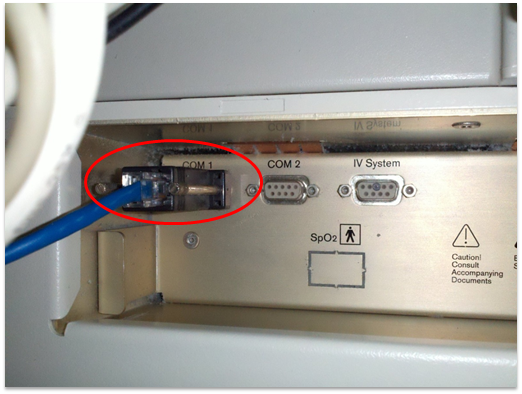
If COM1 is already in use, see When the COM1 Port is Already in Use below.
When the COM1 Port Is Already in Use
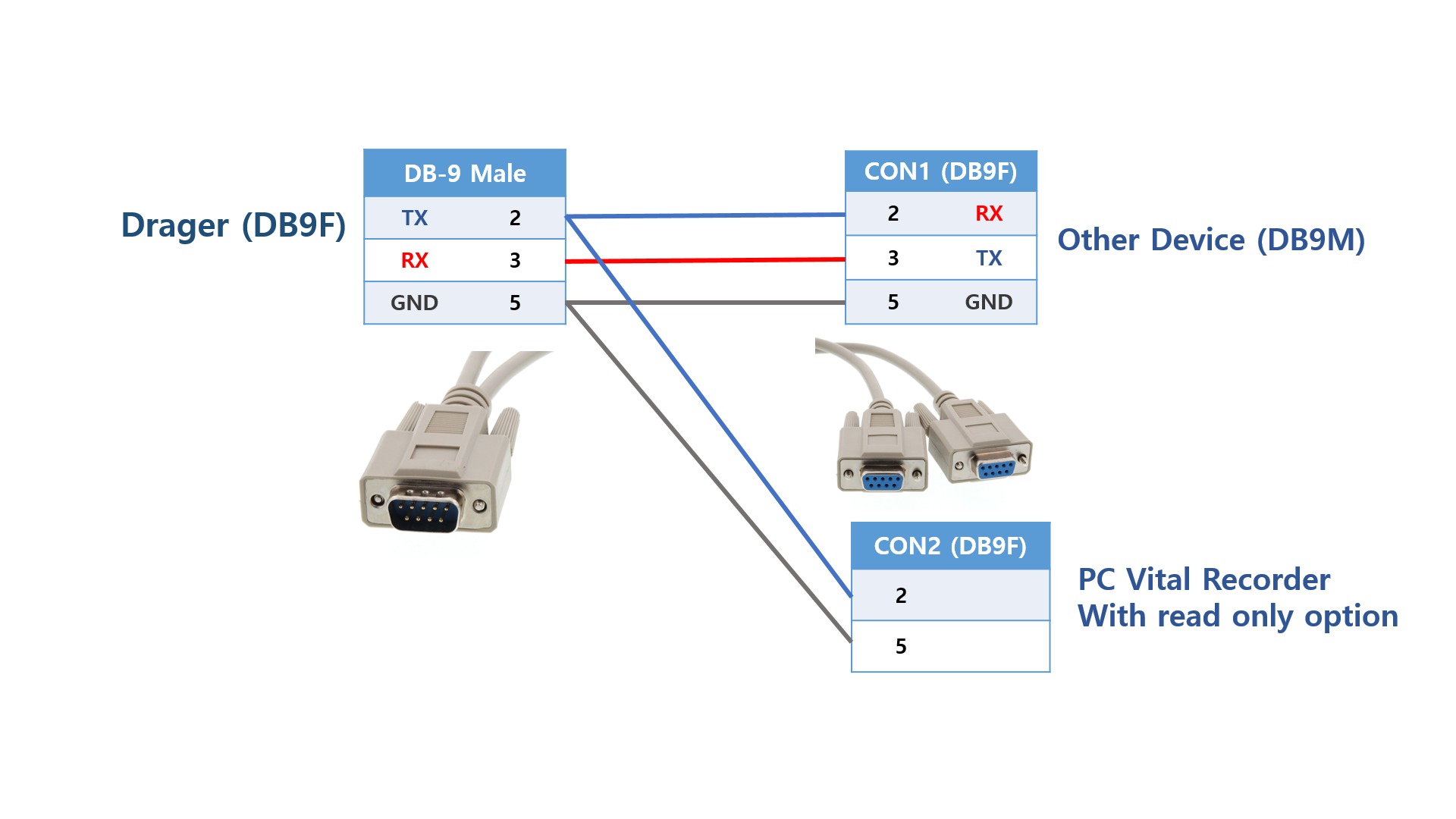
For the connection shown below, use a Y-cable with a receive-only branch to Vital Recorder. Enable Read Only Mode when adding the device.
Y-Cable Pinout
| Machine end — DB-9M | Existing connection — DB-9F (CON1) | PC end — DB-9F (CON2) |
|---|---|---|
| 2 (TxD from machine) | 2 | 2 (RxD at PC) |
| 3 (RxD to machine) | 3 | Not connected |
| 5 (GND) | 5 | 5 (GND) |
Only the machine's transmit signal and ground connect to the PC branch.
Device Configuration
No changes to the device settings are required.
Vital Recorder Setup
Add the device as Primus and select the PC serial port used for the connection.