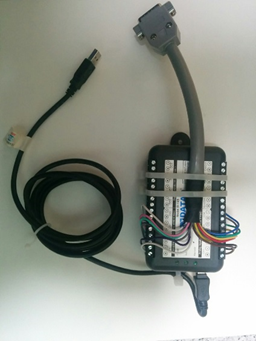
GE TRAM-RAC 4A
Note: The TRAM-RAC 4A uses a 15-pin ANALOG OUT port — this is an analog signal requiring an Analog-to-Digital Converter (ADC).
| Cable | Adapter | Port | ADC Required |
|---|---|---|---|
| Custom 15-pin analog cable → ADC | — | 15-pin ANALOG OUT | DataQ DI-149, DI-155, DI-1110, or SNU-ADC |
⚠️ Do NOT connect the cable to the BP connector (BP2 slot) when receiving the PLETH waveform. PLETH and BP waveforms look identical — incorrect connections are easy to miss.
Connection Steps
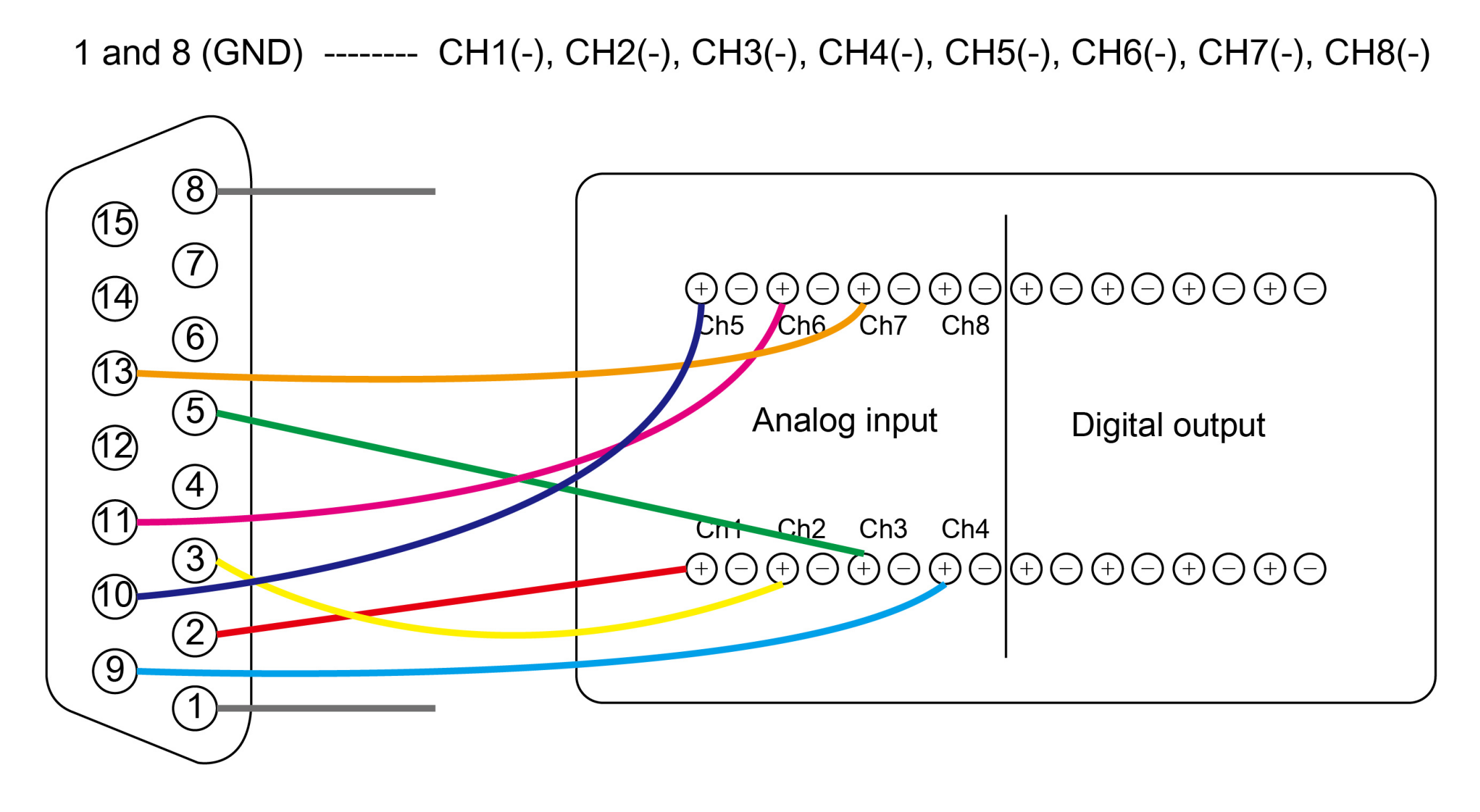
- Fabricate or order a cable for the 15-pin ANALOG OUT port per the pinout diagram.
- Connect to the correct module slot — NOT BP2 if using PLETH.
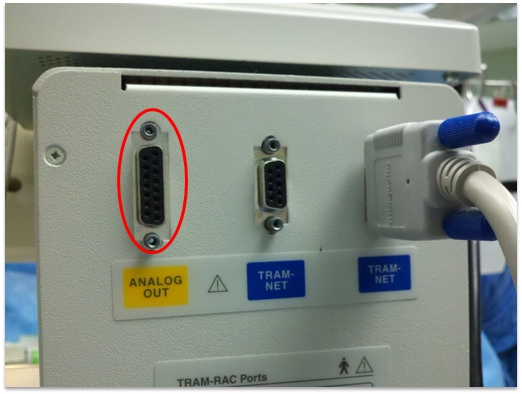
- Connect the ADC output (USB) to the PC.
ICP note: When monitoring ICP, the ICP module must be in the first slot of the TRAM-RAC.
DataQ DI-1110 and newer: Change device to CDC mode before use. Vital Recorder only recognizes CDC mode. See manufacturer guide.