Bionet Pion TCI
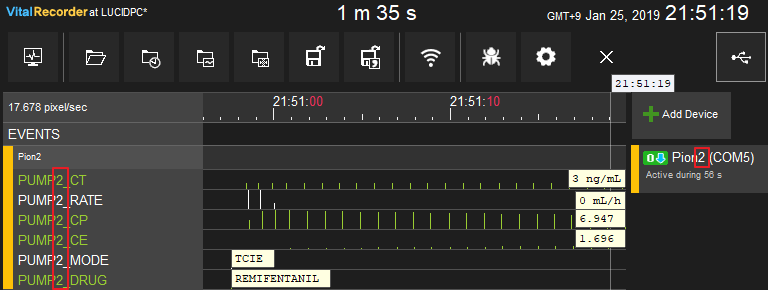
Note: When multiple Pion pumps are connected, Vital Recorder identifies each by the number in its device name. A device named "Pion2" produces tracks prefixed with PUMP2; no number defaults to PUMP1.
| Cable | Adapter | Port | VR Device Name |
|---|---|---|---|
| Direct Serial | None | 9-pin port | Pion |
Connection Steps
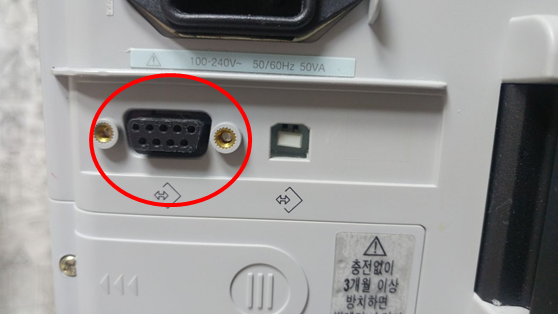
- Connect a direct serial cable to the 9-pin port on the rear.
- Connect the other end to the PC via USB-Serial converter.
- In Vital Recorder, name the device
Pion1,Pion2, etc. to match the pump number.