Dräger Apollo / Cicero EM Color / Julian / Vamos
| Cable | Adapter | Port | VR Device Name |
|---|---|---|---|
| Direct serial cable | None | COM1 | Medibus |
Connection Steps
- Connect a direct serial cable to COM1 on the rear of the machine.
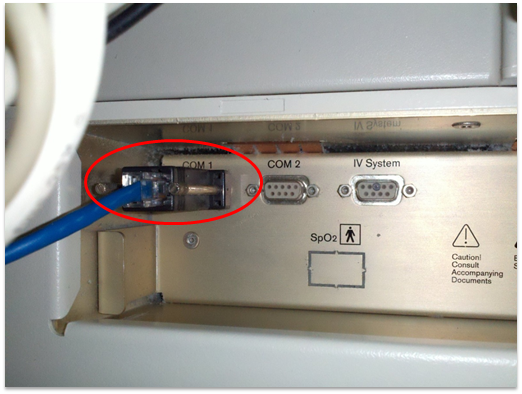
If COM1 is already in use, see When the COM1 Port is Already in Use below.
When the COM1 Port Is Already in Use
For the connection shown below, use a Y-cable with a receive-only branch to Vital Recorder. Enable Read Only Mode when adding the device.
Y-Cable Pinout
| Machine end — DB-9M | Existing connection — DB-9F (CON1) | PC end — DB-9F (CON2) |
|---|---|---|
| 2 (TxD from machine) | 2 | 2 (RxD at PC) |
| 3 (RxD to machine) | 3 | Not connected |
| 5 (GND) | 5 | 5 (GND) |
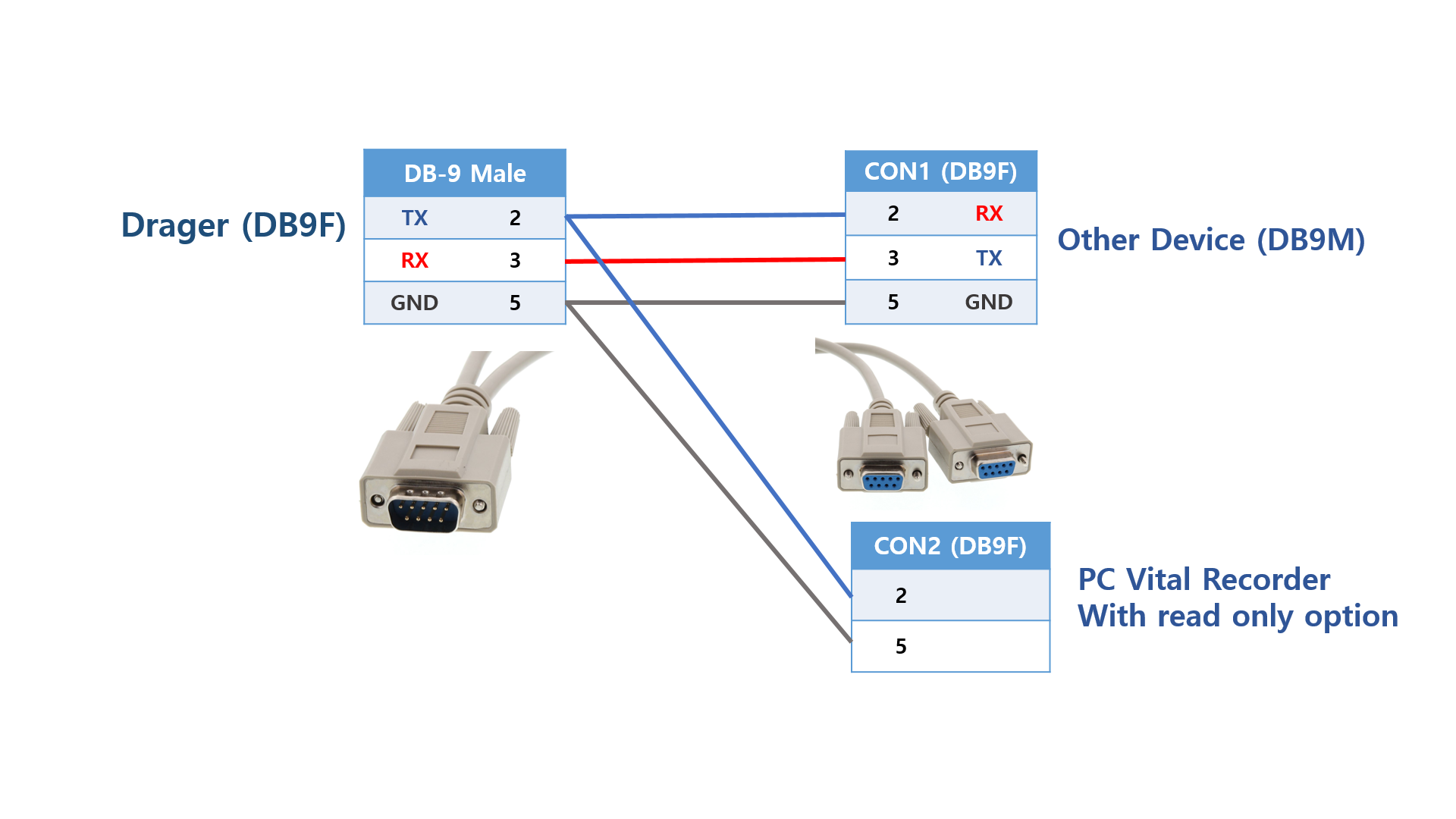
Vital Recorder records the data requested by the existing device. If waveform order is not detected correctly, set wavs= to match that device's requested waveform order.
Device Configuration
No changes are required if COM1 is already configured as follows. Otherwise, apply these settings in the machine's serial interface menu; the menu path varies by model and software version.
| Parameter | Value |
|---|---|
| Protocol | MEDIBUS |
| Baud Rate | 9600 |
| Data Bits | 8 |
| Parity | Even |
| Stop Bits | 1 |
Vital Recorder Setup
Add the device as Medibus and select the PC serial port used for the connection.
For a Y-cable connection, enable Read Only Mode. For a direct connection, wavs= can be used to request specific waveforms, such as wavs=AWP,AWF for airway pressure and flow.