Drager Fabius / Zeus / Infinity
⚠️ A Null Modem (cross-gender) adapter is required in addition to a direct serial cable.
| Cable | Adapter | Port | VR Device Name |
|---|---|---|---|
| Direct Serial | Null Modem (cross gender) | Serial port | MedibusX |
Connection Steps
- Attach a Null Modem cross-gender adapter to the serial port.
- Connect a direct serial cable from the adapter to the PC via USB-Serial converter.
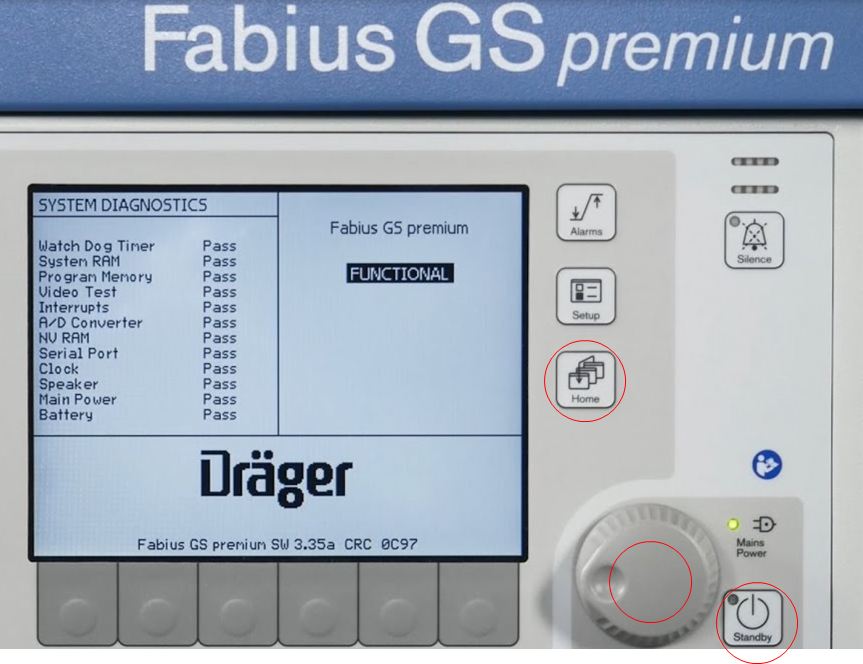
- Fabius only: Press the three buttons marked in red simultaneously to enter service mode and change serial settings.