Medtronic BIS VISTA
⚠️ Use a direct cable only. Connecting a cross cable will trigger an error screen on the device. Protocol changes take effect only after device restart.
| Cable | Adapter | Port | VR Device Name |
|---|---|---|---|
| Direct Serial — NOT cross cable | None | Serial port | VISTA |
| Protocol | Data |
|---|---|
| ASCII | All numeric data |
| Legacy Binary | 128Hz EEG waveform |
Connection Steps
- Connect a direct serial cable (NOT a cross cable) to the rear serial port.
- Connect the other end to the PC via USB-Serial converter.
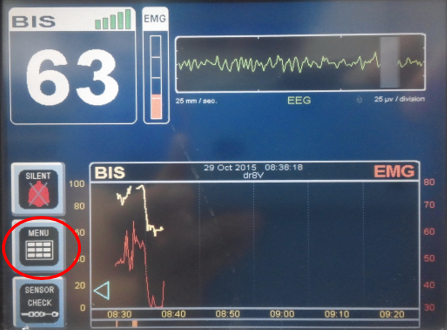
Device Configuration
- Press Menu → NEXT → NEXT → Maintenance → Serial Protocol.
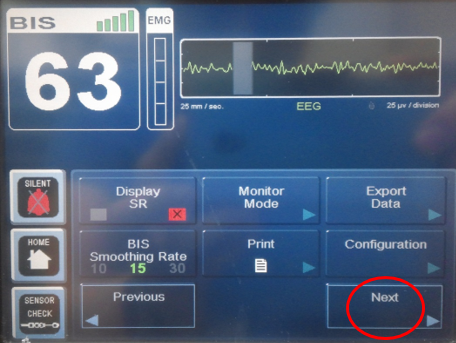
- Choose protocol:
- ASCII — for all numeric data
- Legacy Binary — for 128Hz EEG waveform (then select BIS (binary) in Vital Recorder)
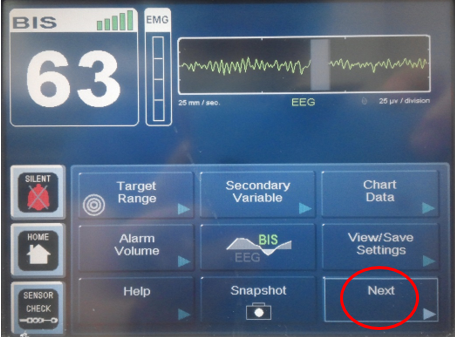
- Save settings → Return to Home → Restart the device.