Edwards Lifesciences HemoSphere

Edwards Lifesciences HemoSphere

CableAdapterPortVR Device Name
direct serial cableNull modem adapter (M/F)DB-9 serial portHemosphere

Connection Steps

  1. Connect a direct serial cable to the rear serial port using a null modem adapter (M/F).
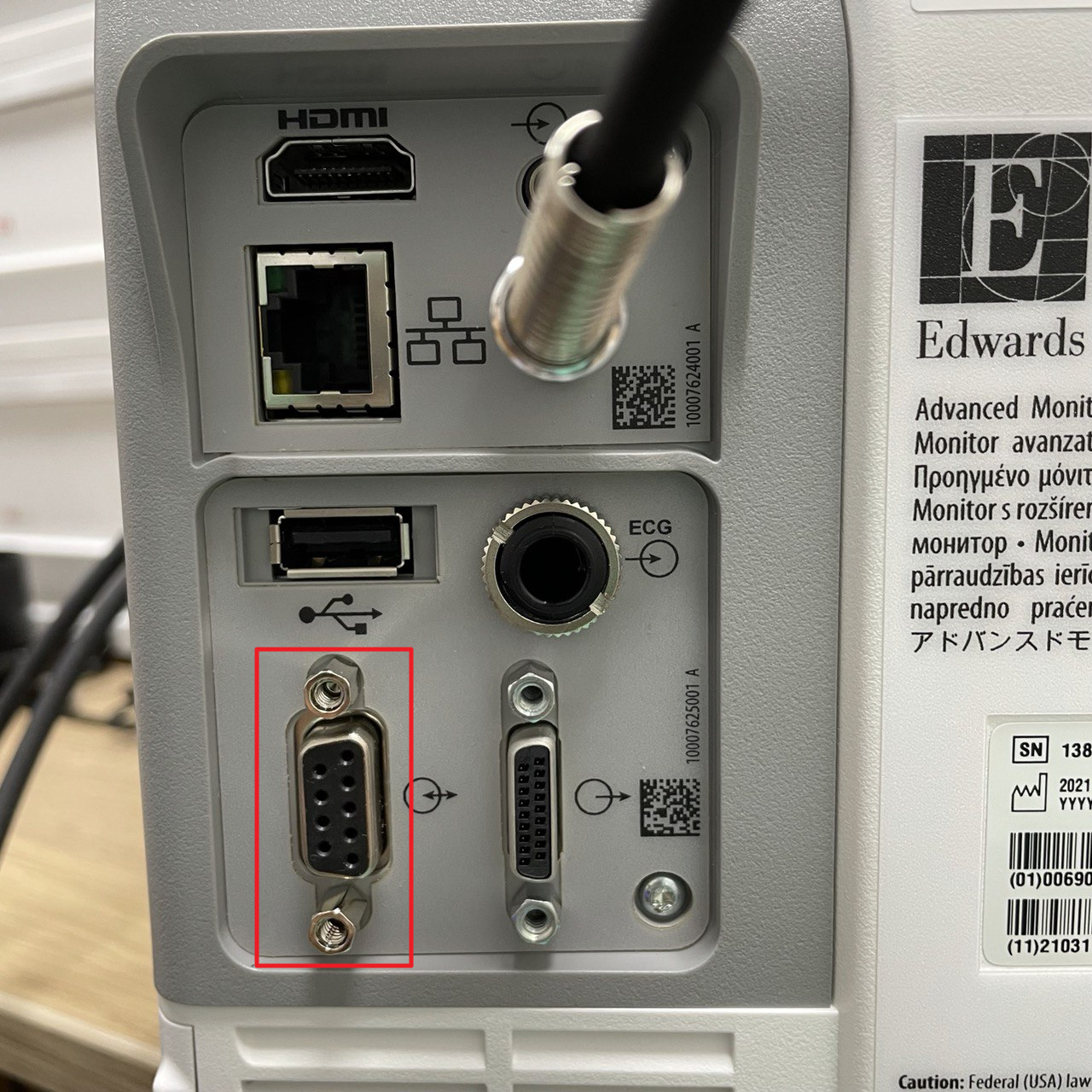
HemoSphere rear panel with the female DB-9 serial port outlined in the lower connector block, left of the DB-15 connector and below the USB and ECG inputs

Device Configuration

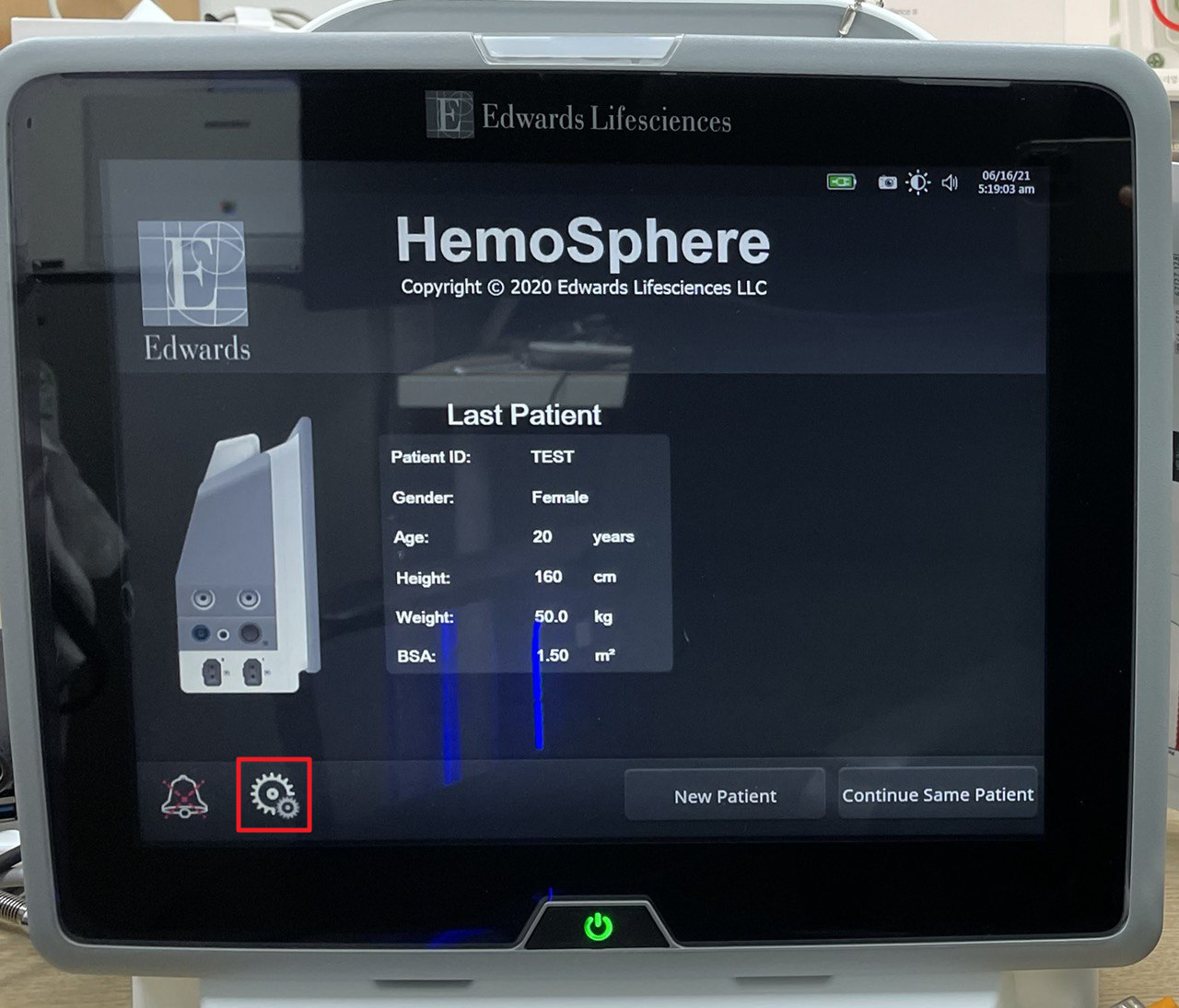
  1. Select the Settings icon.
HemoSphere start-up screen showing Last Patient details, with the gear-shaped settings icon at the bottom left outlined
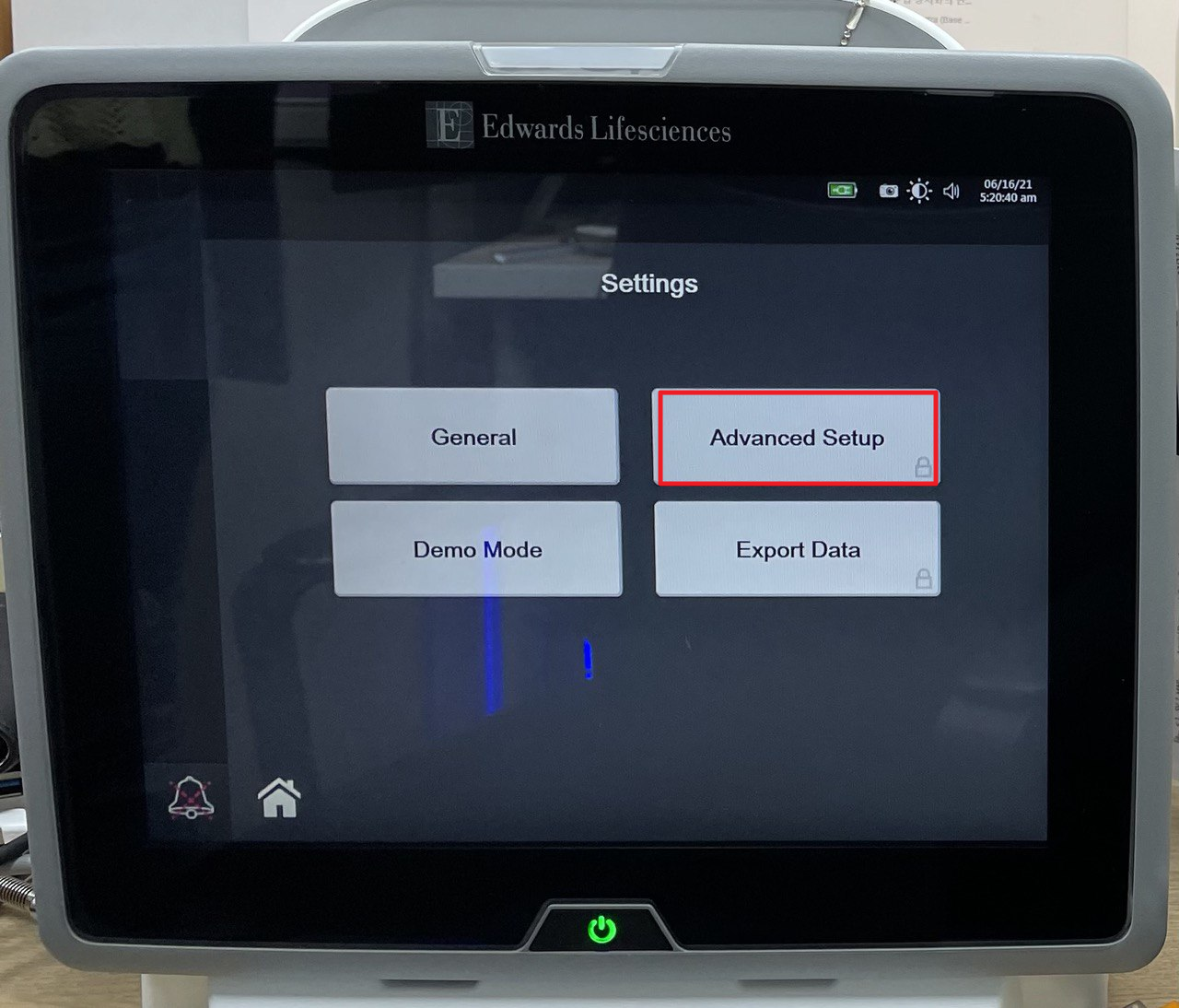
  1. Select Advanced Setup.
HemoSphere Settings screen with General, Advanced Setup, Demo Mode and Export Data buttons, Advanced Setup outlined
  1. Enter the Advanced Setup password (default: 55555555).
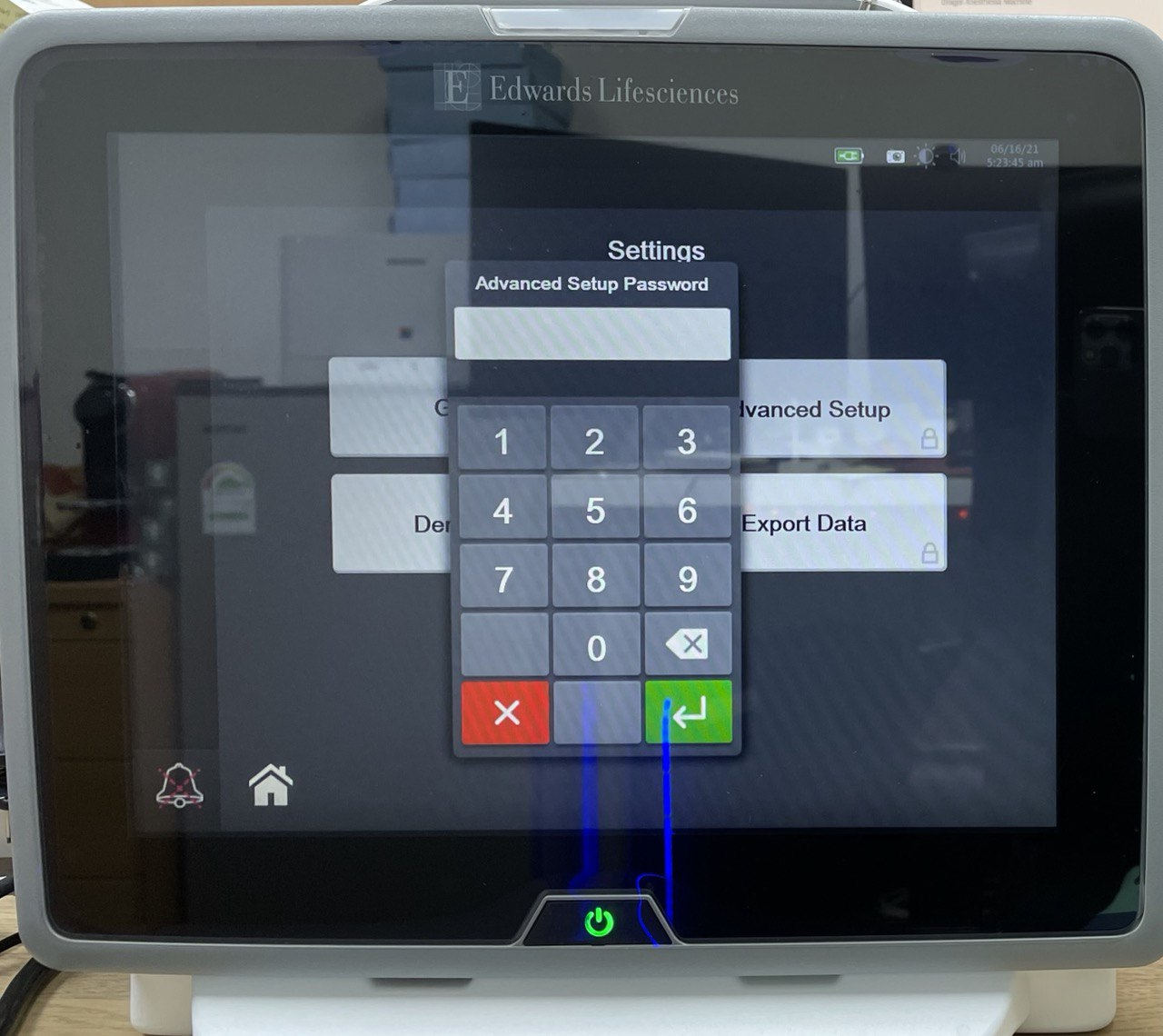
HemoSphere Advanced Setup Password prompt with the on-screen numeric keypad
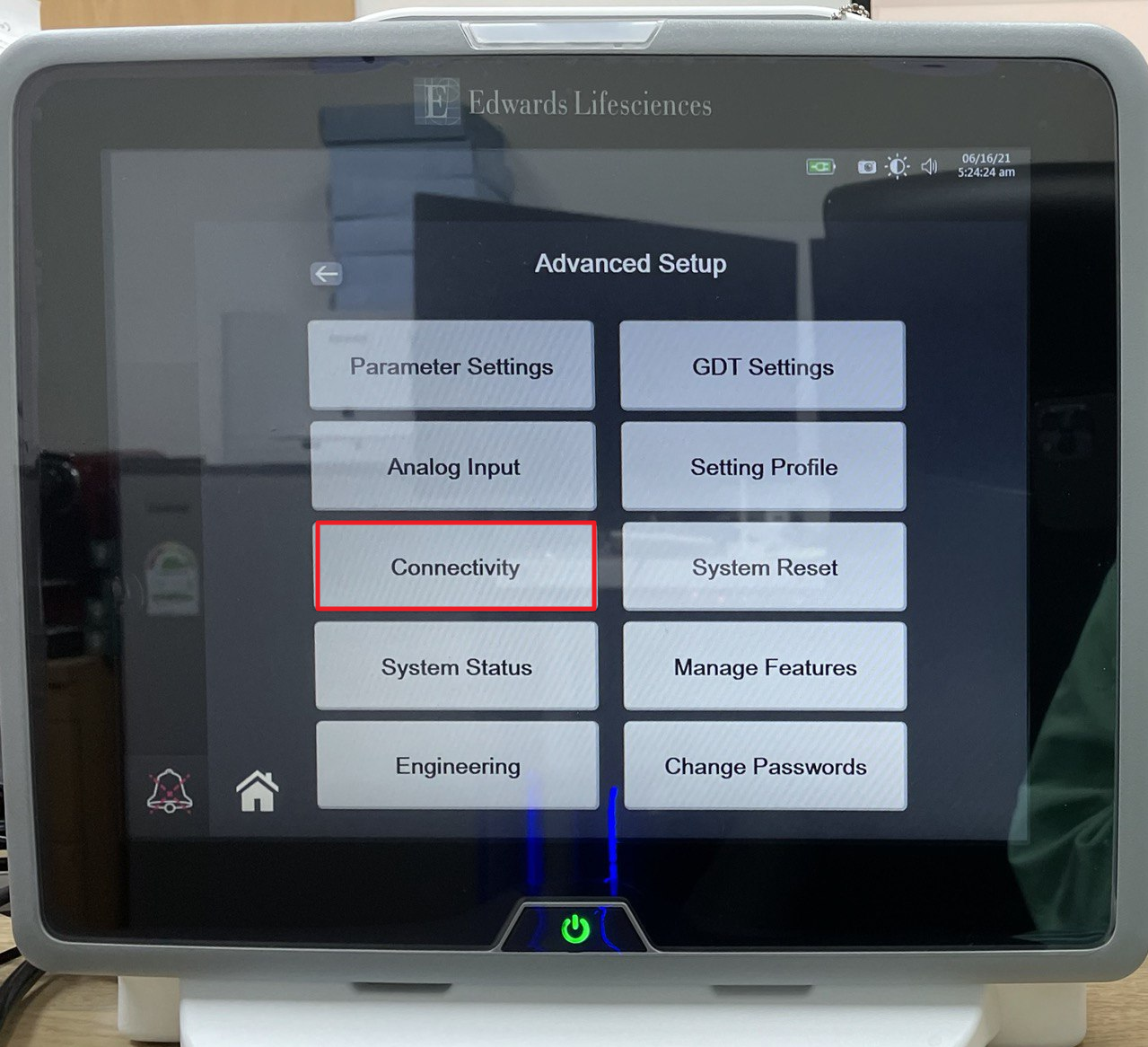
  1. Select Connectivity.
HemoSphere Advanced Setup menu with Parameter Settings, Analog Input, Connectivity, System Status, Engineering, GDT Settings, Setting Profile, System Reset, Manage Features and Change Passwords, with Connectivity outlined
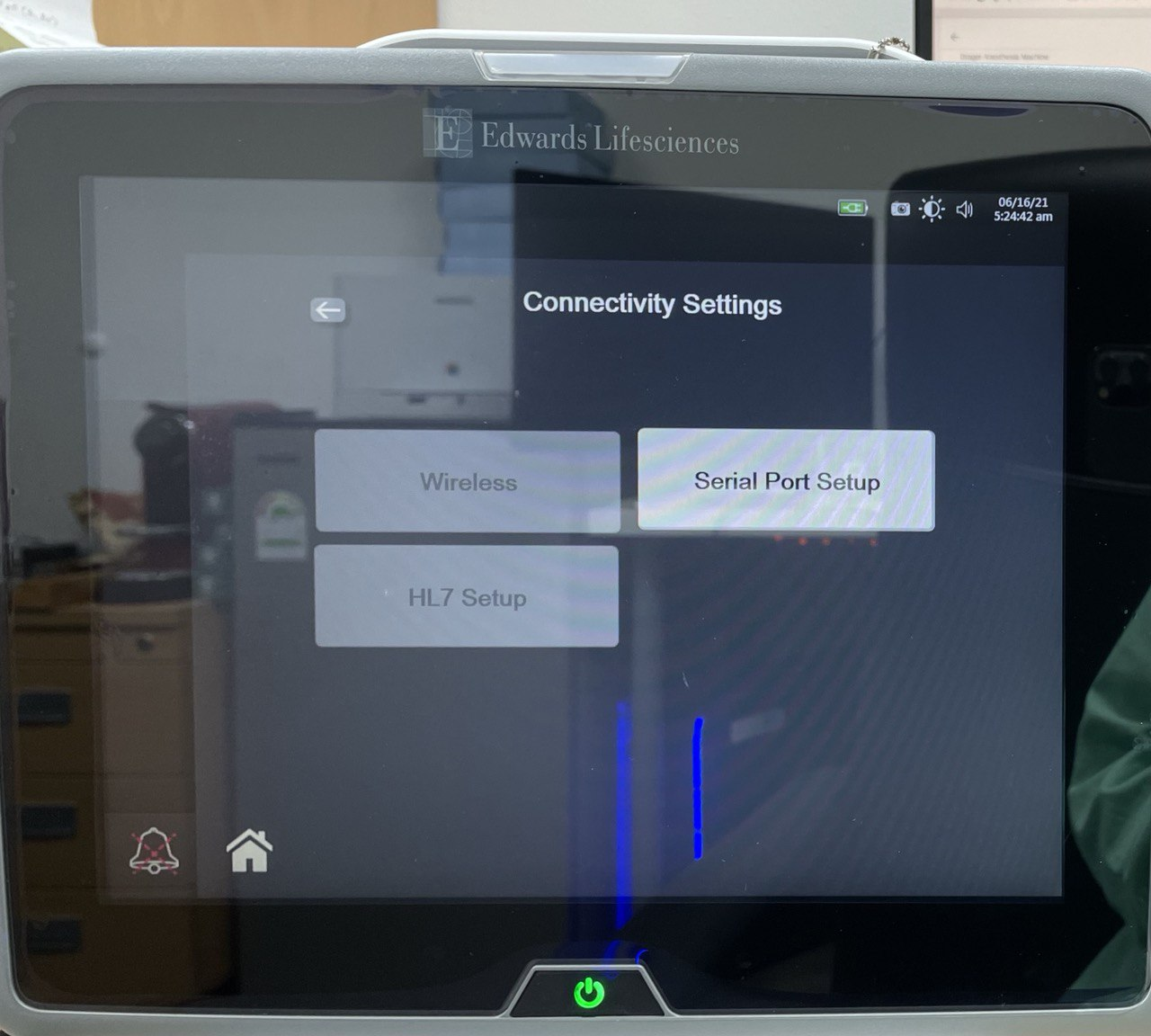
  1. Select Serial Port Setup.
HemoSphere Connectivity Settings screen showing Wireless, HL7 Setup and Serial Port Setup, with Serial Port Setup highlighted
  1. On the Serial Port tab, apply the settings below.
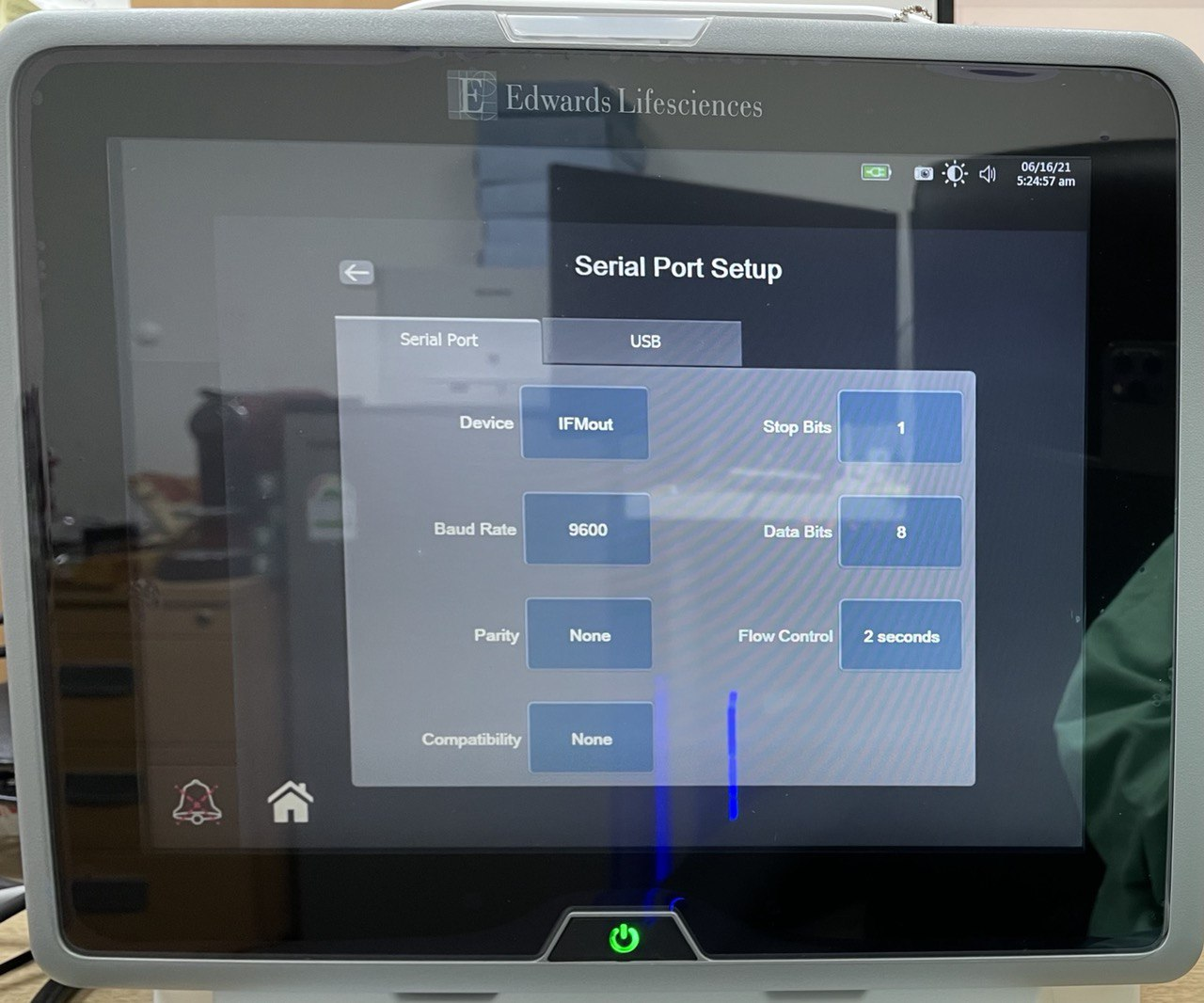
HemoSphere Serial Port Setup screen, Serial Port tab, showing Device IFMout, Baud Rate 9600, Parity None, Compatibility None, Stop Bits 1, Data Bits 8 and Flow Control 2 seconds

| Parameter | Value | |-----------|------- | | Device | IFMout | | Baud Rate | 9600 | | Parity | None | | Stop Bits | 1 | | Data Bits | 8 | | Flow Control | 2 seconds | | Compatibility | None |

  1. Restart the monitor to apply the changes.

Vital Recorder Setup