Mdoloris ANI Monitor V2
| Cable | Adapter | Port | VR Device Name |
|---|---|---|---|
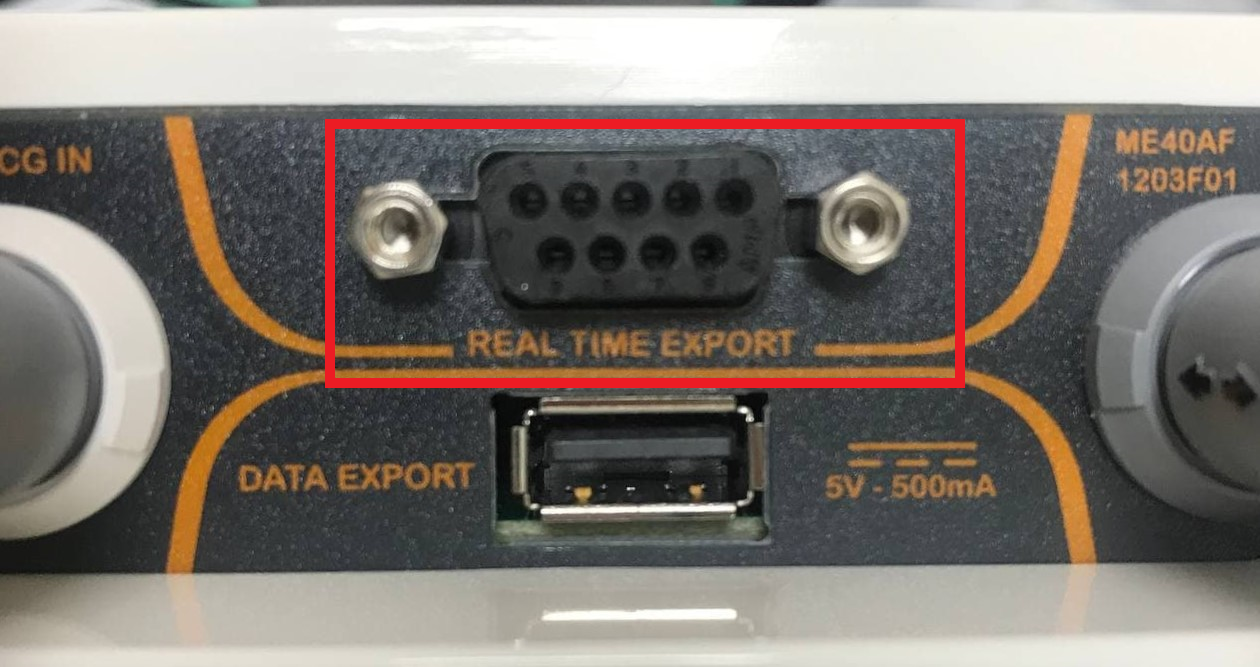
| USB-Serial converter | None | REAL TIME EXPORT DB-9 | ANIMonitor2 |
Connection Steps
- Plug the DB-9 end of a USB-Serial converter into the port labeled REAL TIME EXPORT. The adjacent DATA EXPORT USB port is used for saved data.
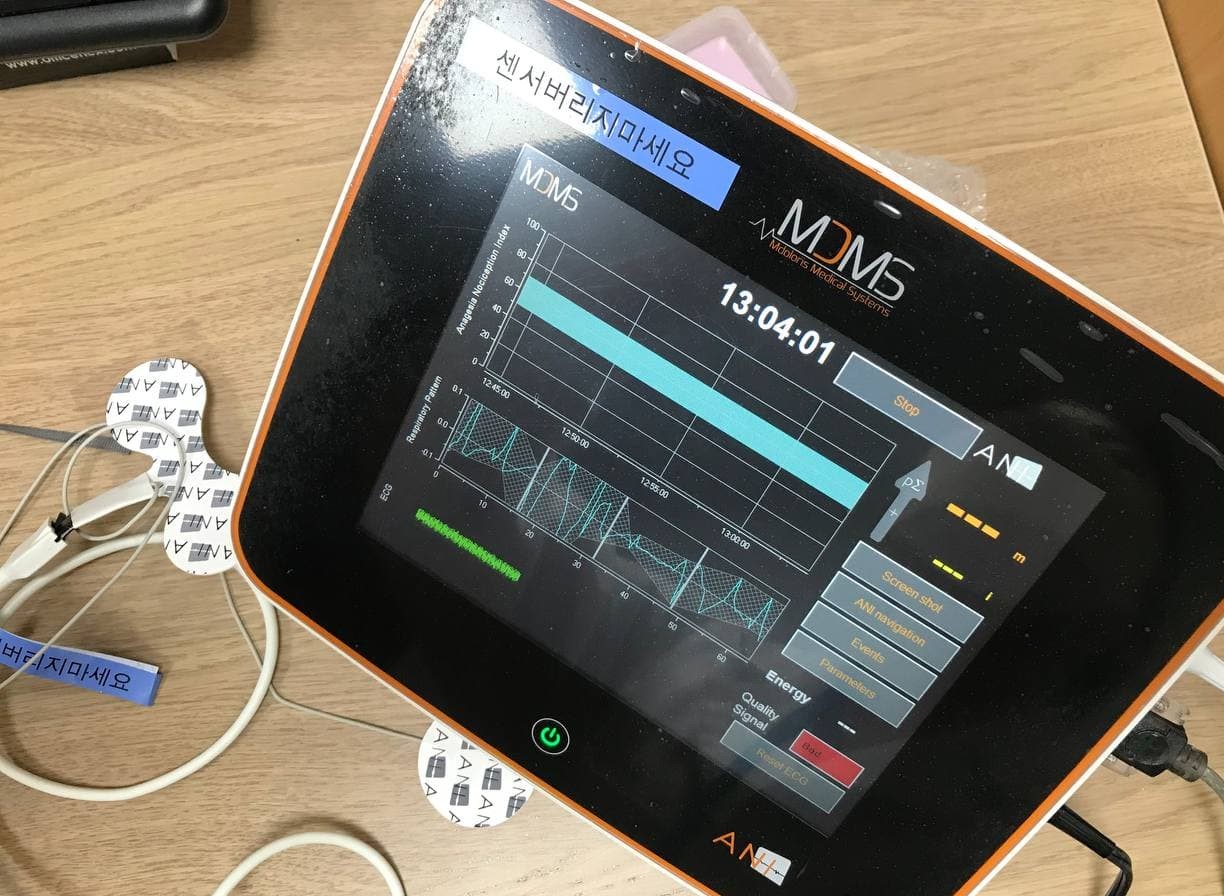
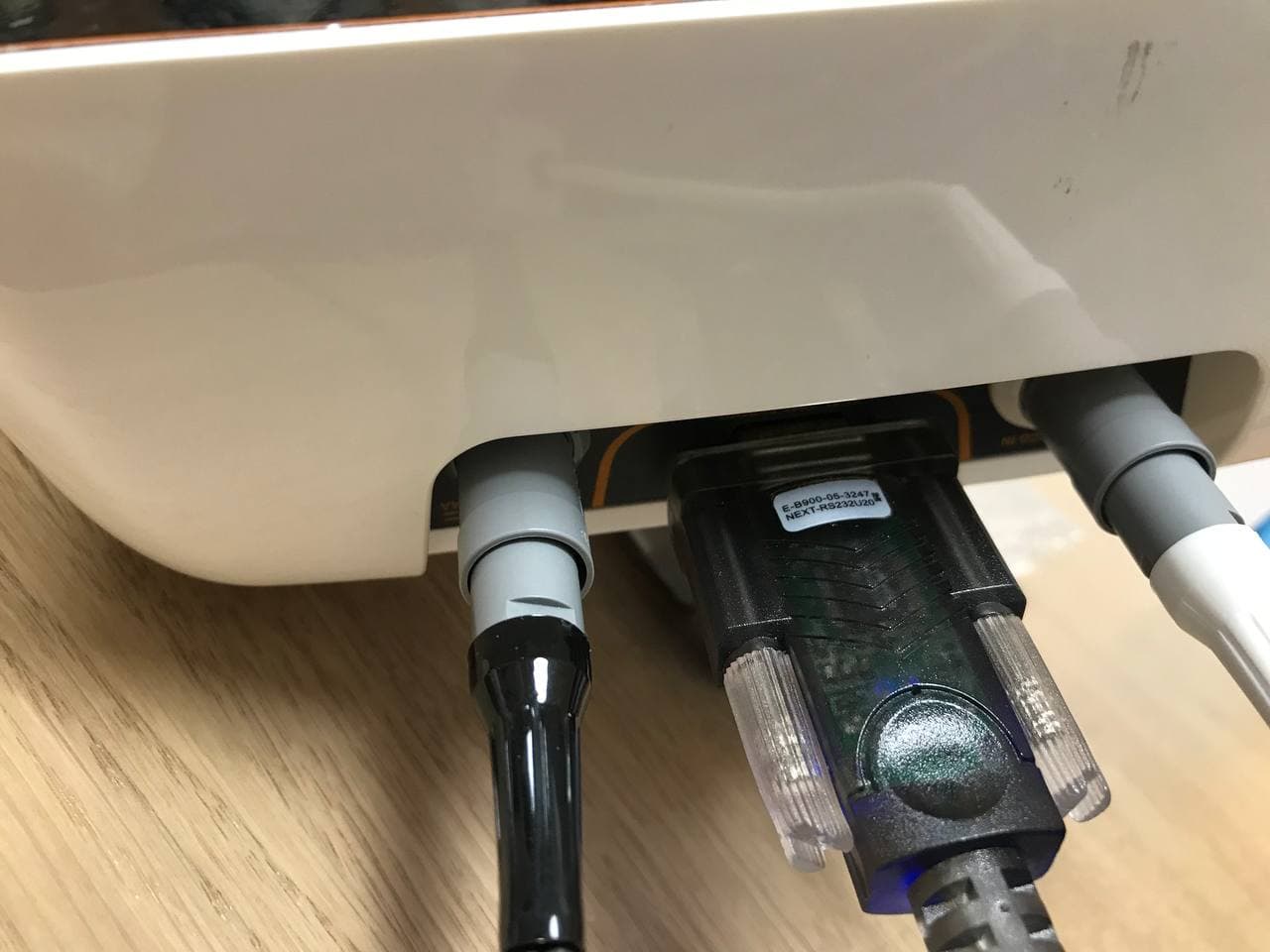
- Connect the USB end to the PC.
Device Configuration
No changes to the device settings are required.
Vital Recorder Setup
- Add the device in Vital Recorder as
ANIMonitor2.