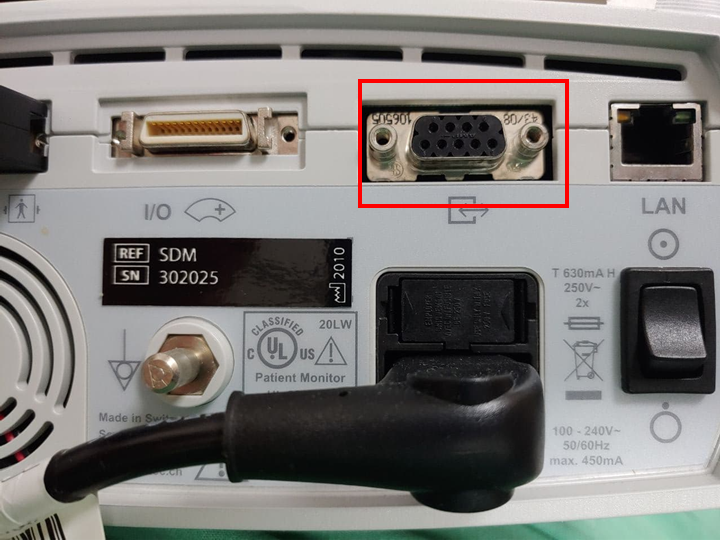
Sentec SDM
Note: Protocol and baud rate must be configured on the device. See Device Configuration below.
| Cable | Adapter | Protocol | Baud Rate | VR Device Name |
|---|---|---|---|---|
| USB-Serial Converter | None | SenTecLink | 115200 | SDM |
Connection Steps
- Connect a USB-Serial Converter directly to the serial port on the rear.
- Connect the USB end to the PC.
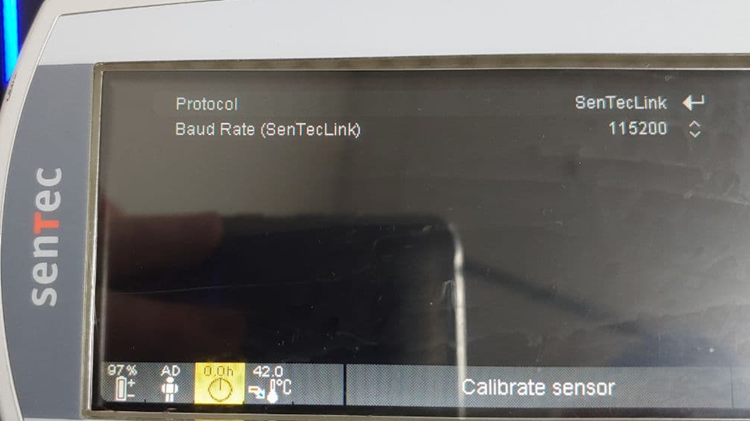
Device Configuration
Navigate to Interfaces → Serial Interface and configure:
| Parameter | Value |
|---|---|
| Protocol | SenTecLink |
| Baud Rate | 115200 |