GE B105M / B115M / B125M
Note: Requires serial port configuration on firmware version 4 and later. See Device Configuration below.
| Cable | Adapter | Port | VR Device Name |
|---|---|---|---|
| Direct Serial | None | Serial port marked in red | B1x5M |
Connection Steps
- Connect a direct serial cable to the serial port marked in red on the rear.
- Connect the other end to the PC via USB-Serial converter.
Device Configuration
Note: This configuration is required for firmware version 4 and later only.
⚠️ Service login required. When prompted, enter the credentials below:
Field Value ID servicePassword lcsmsteamorwh1tef1sh
- On the monitor, navigate to Install/Service → Service → Page 3.
- Tap S5/Anesthesia.
- Set S/5 Channel 1 to Serial and Baudrate to 19200.
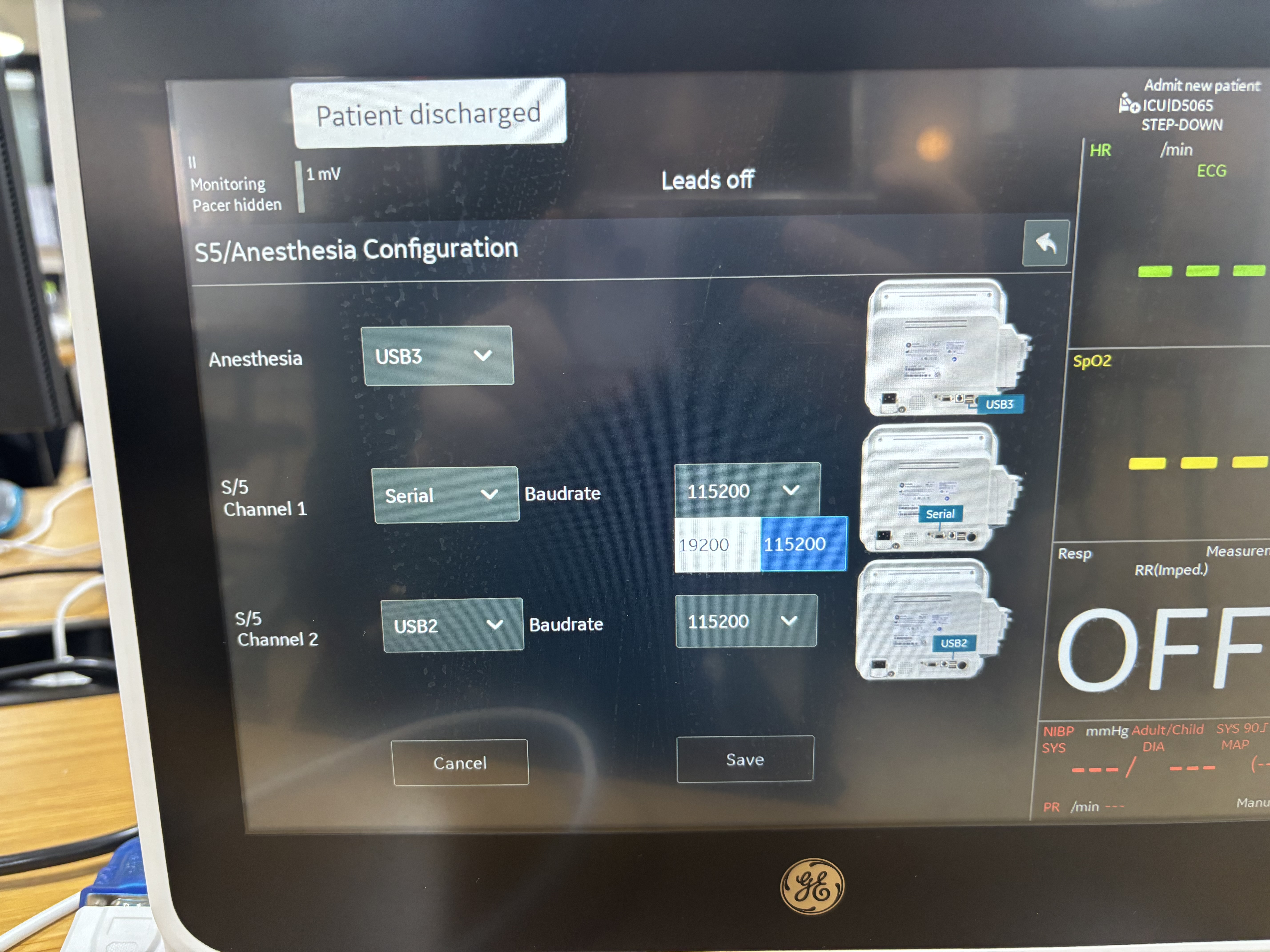
- Tap Save.
Waveform Selection
Unlike other Datex DRI devices, the B1x5M family (B105M / B115M / B125M) defaults to ECG1 and PLETH only — the device cannot keep up with the full S5 waveform stream. Any other waveform (invasive arterial pressure, CO2, AWP, etc.) must be requested explicitly using the wavs option in vr.conf:
[DEV/B1x5M]
type=B1x5M
port=LU
wavs=ECG1,PLETH,IABP1,CO2,AWP
Arterial pressure (ART) waveform: Use
IABP1— names likeARTorINVP1are not recognized. The first invasive pressure channel (labeled ART on the monitor screen) maps toIABP1; the second toIABP2, and so on up toIABP8.
See Configuration Guide → S5 / Datex Device Settings for the full list of supported waveform names.