GE Dash 2000 / 3000 / 4000
Note: Protocol: GE Unity Protocol. Requires a custom cable (DB-9F on one end, RJ-45 on the other) — serial communication runs through the RJ-45 AUX terminal.
| Cable | Adapter | Port | VR Device Name |
|---|---|---|---|
| Custom: DB-9F ↔ RJ-45 | None | RJ-45 AUX terminal | Dashx000 |
Connection Steps
- Fabricate or order a DB-9F ↔ RJ-45 cable per the pinout diagram below.
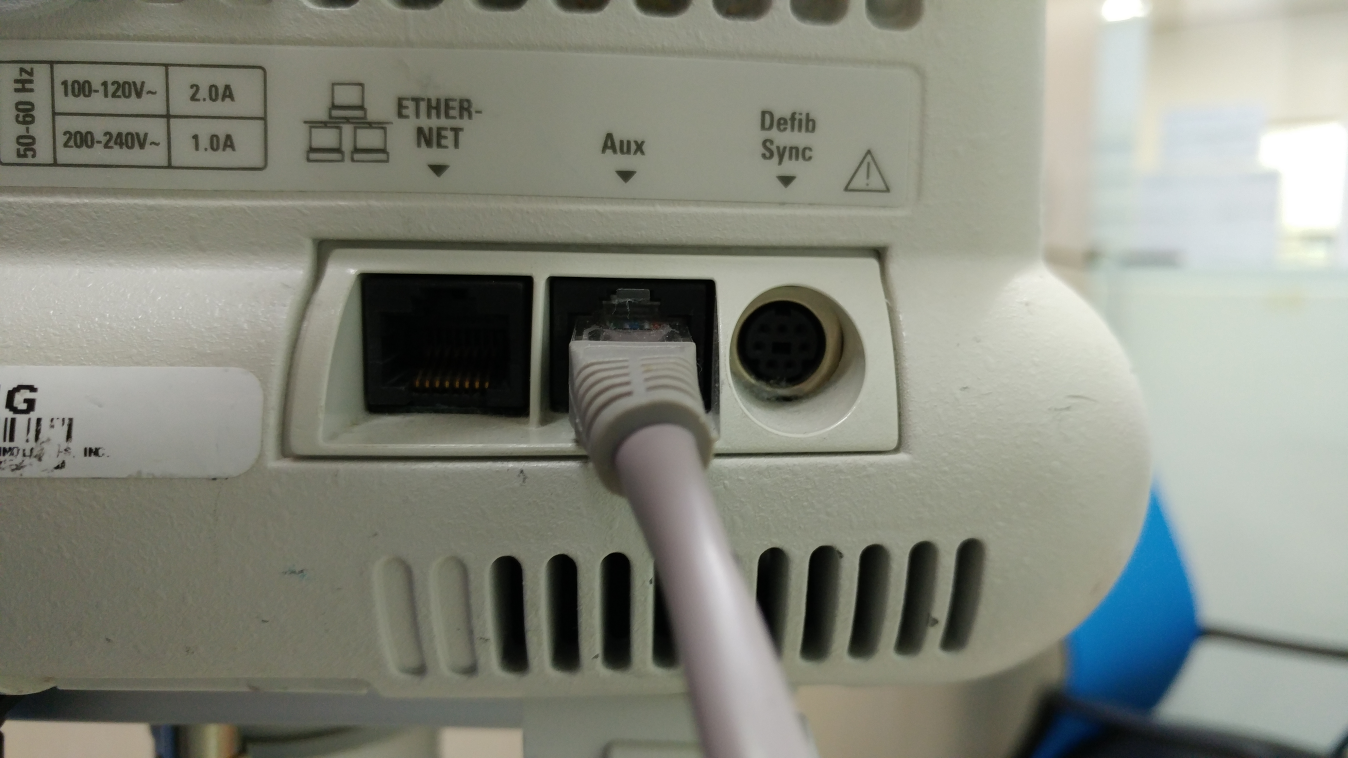
- Connect the RJ-45 end to the AUX terminal on the rear of the monitor.
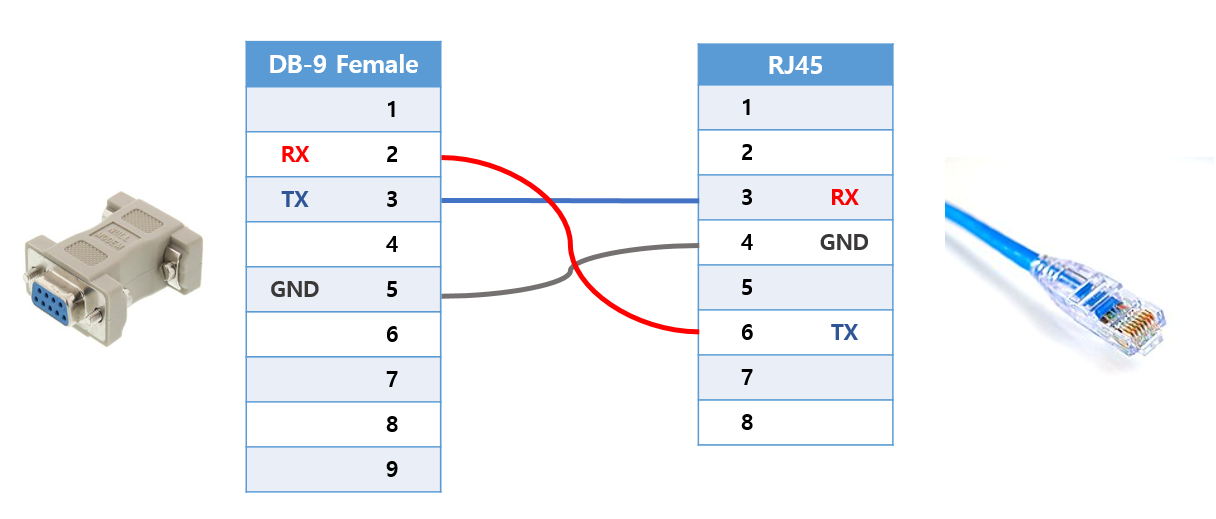
- Connect the DB-9F end to the PC via USB-Serial converter.