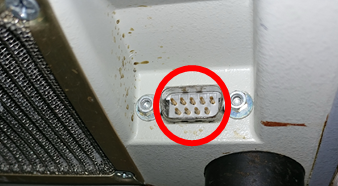
Belmont FMS (RI-2)
Note: The communication port is hidden behind the lower vent panel. The device uses a male connector — an F/F adapter is required.
| Cable | Adapter | Port | VR Device Name |
|---|---|---|---|
| Direct Serial | Null Modem F/F | Serial port (behind lower vent panel) | FMS |
Connection Steps
- Locate the serial port behind the lower vent panel.
- Attach a Null Modem (F/F) adapter to the male connector on the device.
- Connect a direct serial cable from the adapter to the PC via USB-Serial converter.