Bionet Pion TCI
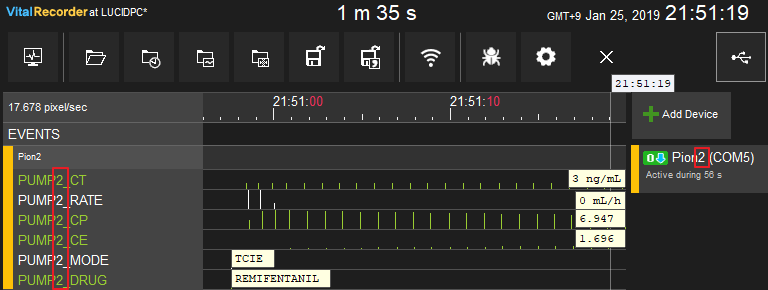
Note: When multiple Pion pumps are connected, Vital Recorder distinguishes them by the number in the device name. A device named
Pion2produces tracks prefixedPUMP2_; a name with no number defaults toPUMP1_.
| Cable | Adapter | Port | VR Device Name |
|---|---|---|---|
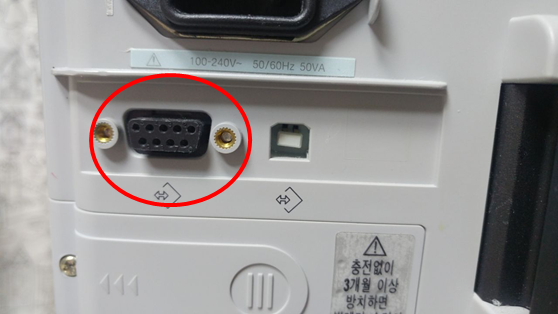
| direct serial cable | None | RS-232 port | Pion |
Connection Steps
- Connect a direct serial cable to the serial port.
Device Configuration
No pump-side configuration is required.
Vital Recorder Setup
- Add each pump as
Pion, and name each device to match its pump number —Pion1,Pion2, and so on. The number in the device name is what Vital Recorder uses to separate the pumps. - The screenshot below shows a device named
Pion2on COM5 producingPUMP2_-prefixed tracks.