GE Datex-Ohmeda Anesthesia Machine
Note: Protocol: GE Ohmeda Serial Protocol. Compatible with: Aespire, Aespire View, Aestiva, Avance, Avance CS2, Aisys, Aisys CS2, Carestation 620/650/650c.
| Cable | Adapter | Port | VR Device Name |
|---|---|---|---|
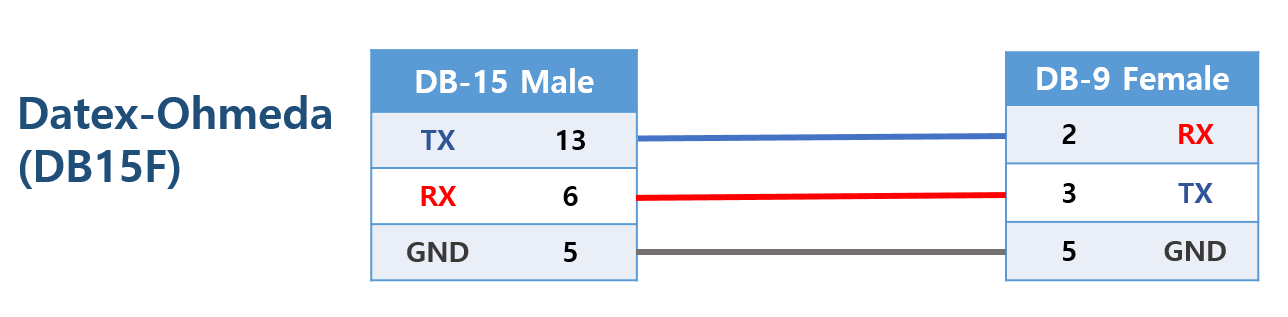
| Custom 9-pin ↔ 15-pin serial | None | 15-pin connector (under cover) | Datex-Ohmeda |
Connection Steps
- Open the back cover of the anesthesia machine to expose the 15-pin connector.
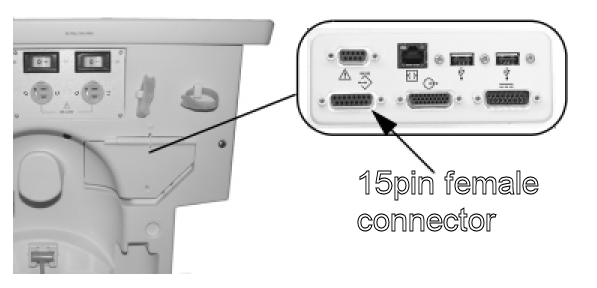
- Connect the custom 9-pin to 15-pin cable to the connector.
- Connect the 9-pin end to the PC via USB-Serial converter.
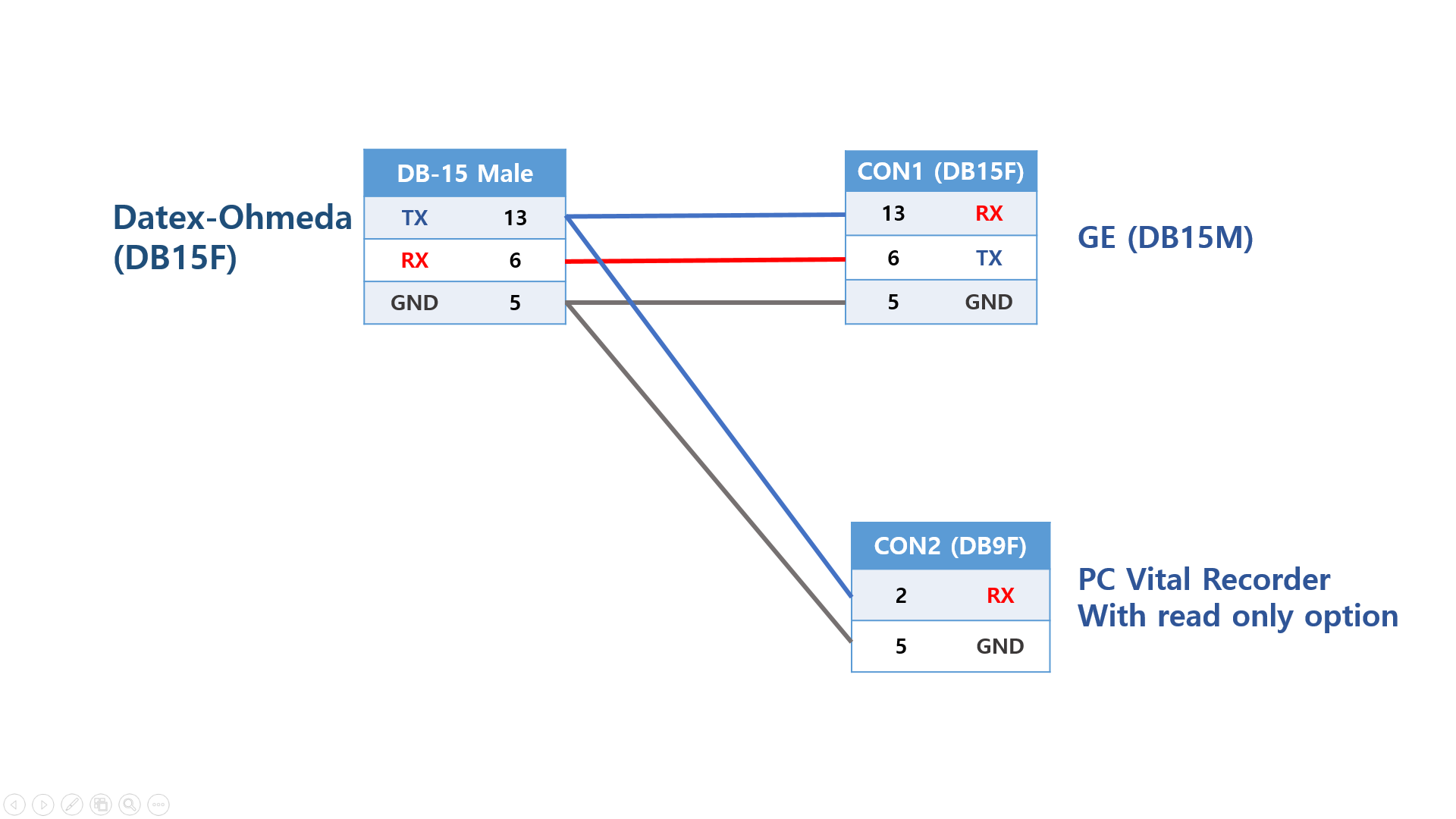
If the 15-pin port is already in use, fabricate a Y-cable and enable "Read Only Mode" in Vital Recorder.