Medtronic (Aspect Medical) BIS A-2000
Note: Medtronic BIS A2000 is similar to BIS Vista, but BIS A2000 can obtain 2-channel 256Hz EEG.
| Cable | Adapter | Port | VR Device Name |
|---|---|---|---|
| direct serial cable | None | RS-232 port | A2000 |
Connection Steps
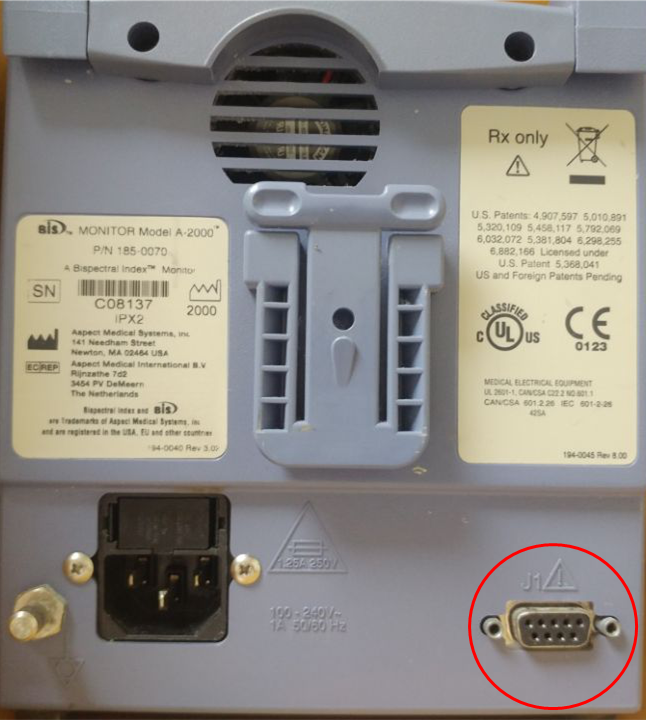
- Connect a direct serial cable to the RS-232 serial port on the lower right of the rear panel.
Device Configuration
The serial protocol lives several levels deep, in the diagnostic/service area of the menu tree. Navigate with the front-panel keys.
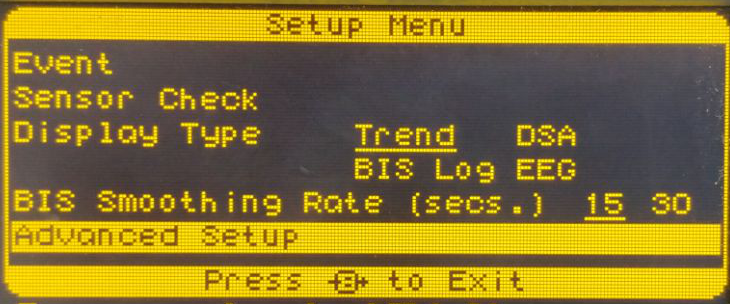
- Press Menu to open the Setup Menu, then select Advanced Setup (bottom row).
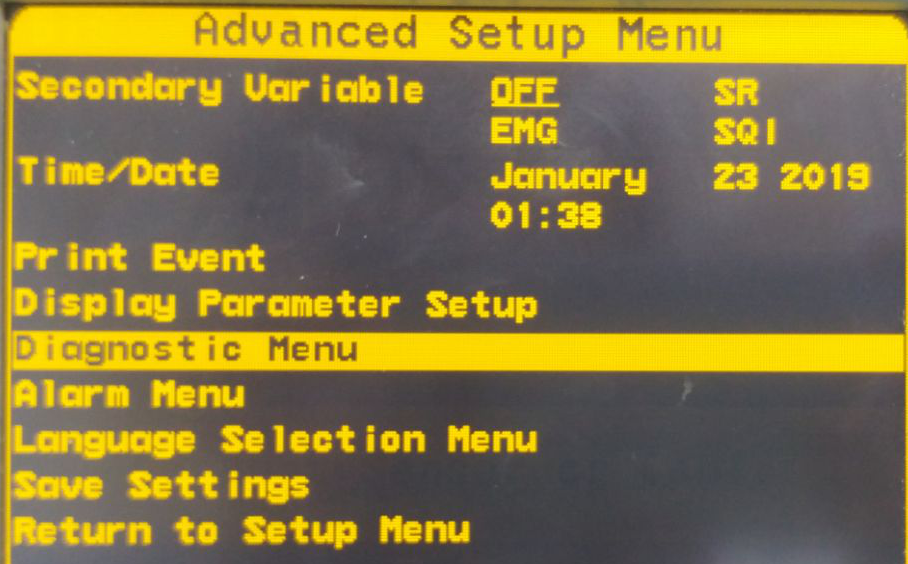
- In the Advanced Setup Menu, select Diagnostic Menu.
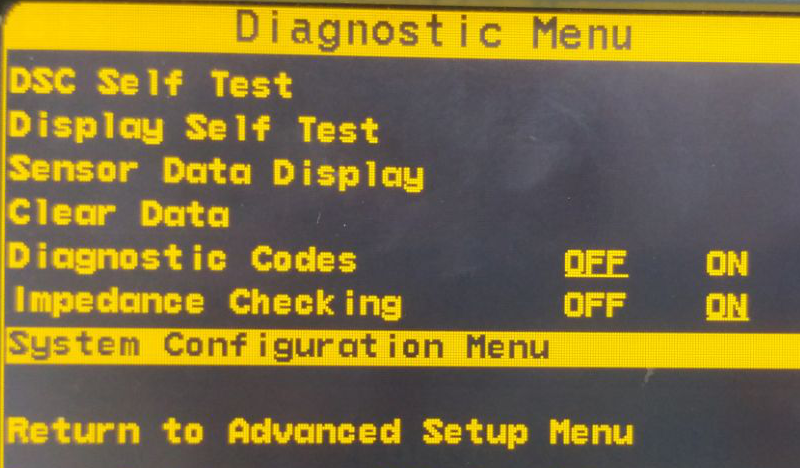
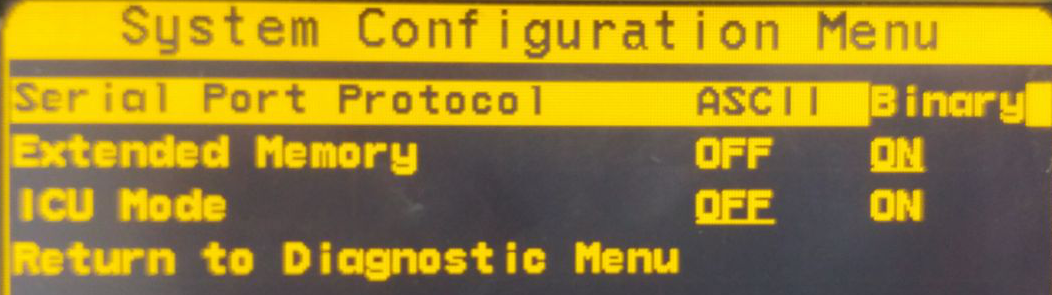
- In the Diagnostic Menu, select System Configuration Menu.
- On Serial Port Protocol choose Binary.
- Press Return To Diagnostic Menu → Return to Advanced Setup Menu → Save Settings. Without Save Settings, the protocol reverts on the next power cycle.
Vital Recorder Setup
- Add the device as
A2000and select the PC serial port used for the connection.