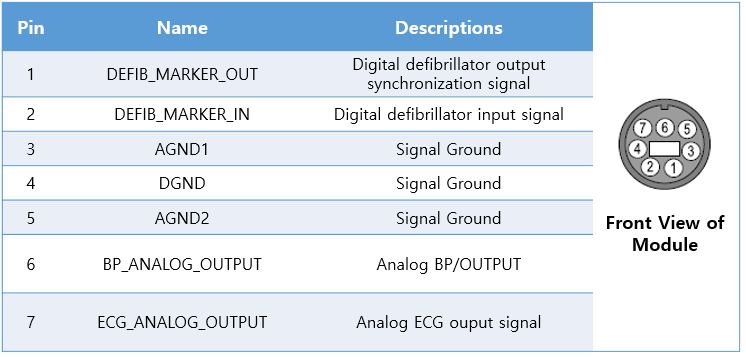
GE Defib Connectors
Note: Use when the TRAM-RAC analog port is occupied. ECG and ABP signals available from the Defib.Sync port on the front panel.
| Cable | Port | ADC Required |
|---|---|---|
| 7-pin DIN (or 8-pin DIN, center cut and modified) | Defib.Sync | Yes |
Connection Steps
- Obtain a 7-pin DIN cable (or modify an 8-pin DIN by cutting the center).
- Connect to Defib.Sync on the front panel per the pin diagram.
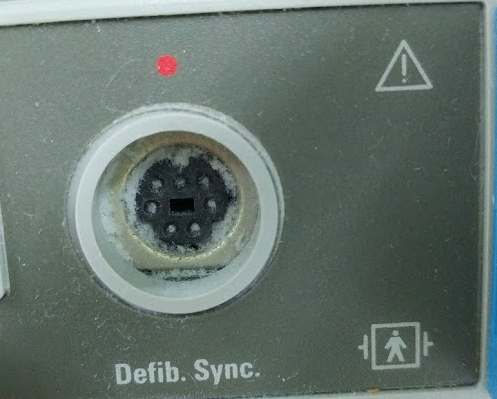
- Connect the other end to the ADC, then connect the ADC to the PC via USB.