Edwards Lifesciences Hemosphere
Note: Available in Vital Recorder v1.8.16.4 or later. Restart the device after changing settings.
| Cable | Adapter | Port | VR Device Name |
|---|---|---|---|
| Direct Serial | Null Modem M/F | Serial port | Hemosphere |
Connection Steps
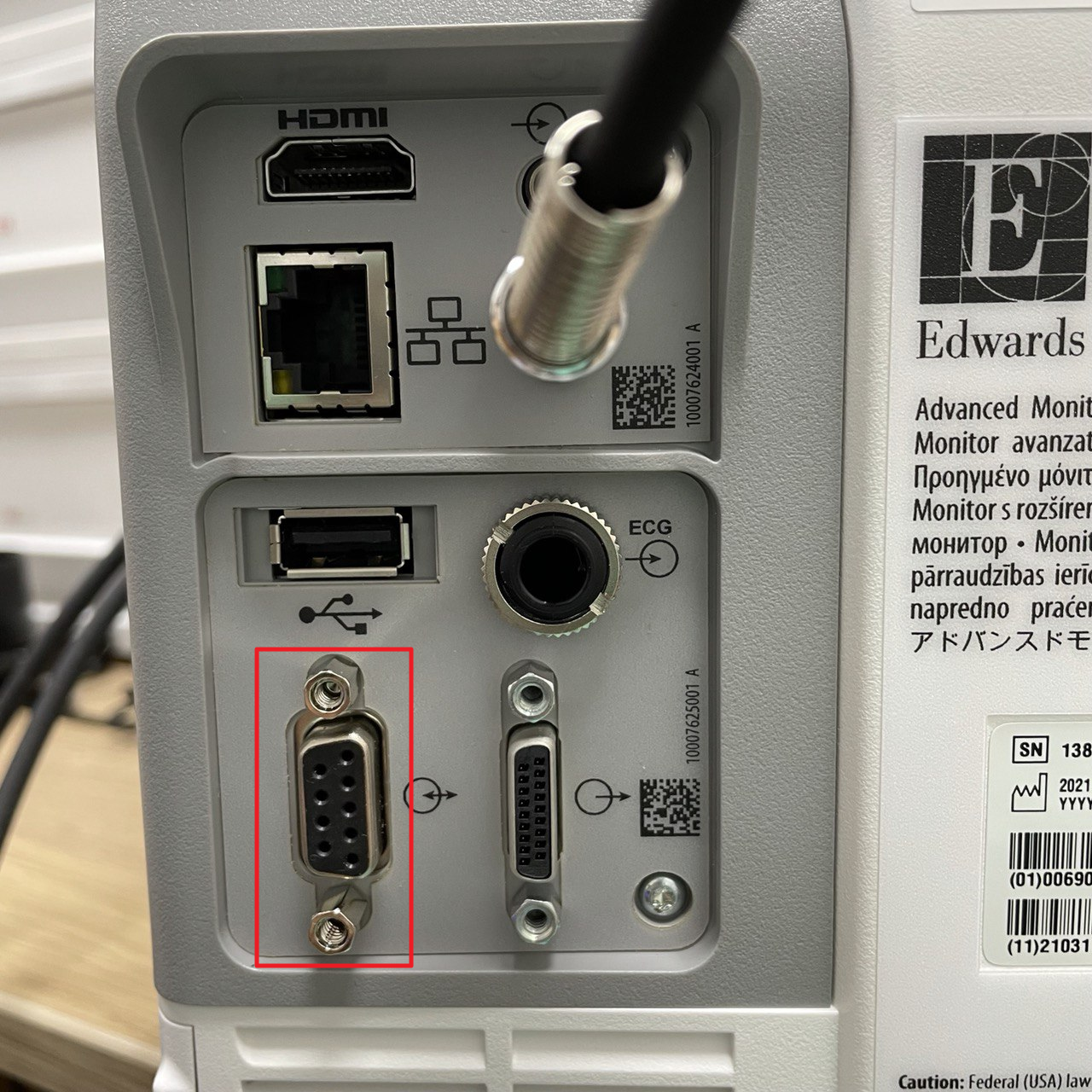
- Attach a Null Modem (M/F) to the rear serial port.
- Connect a direct serial cable to the PC via USB-Serial converter.
Device Configuration
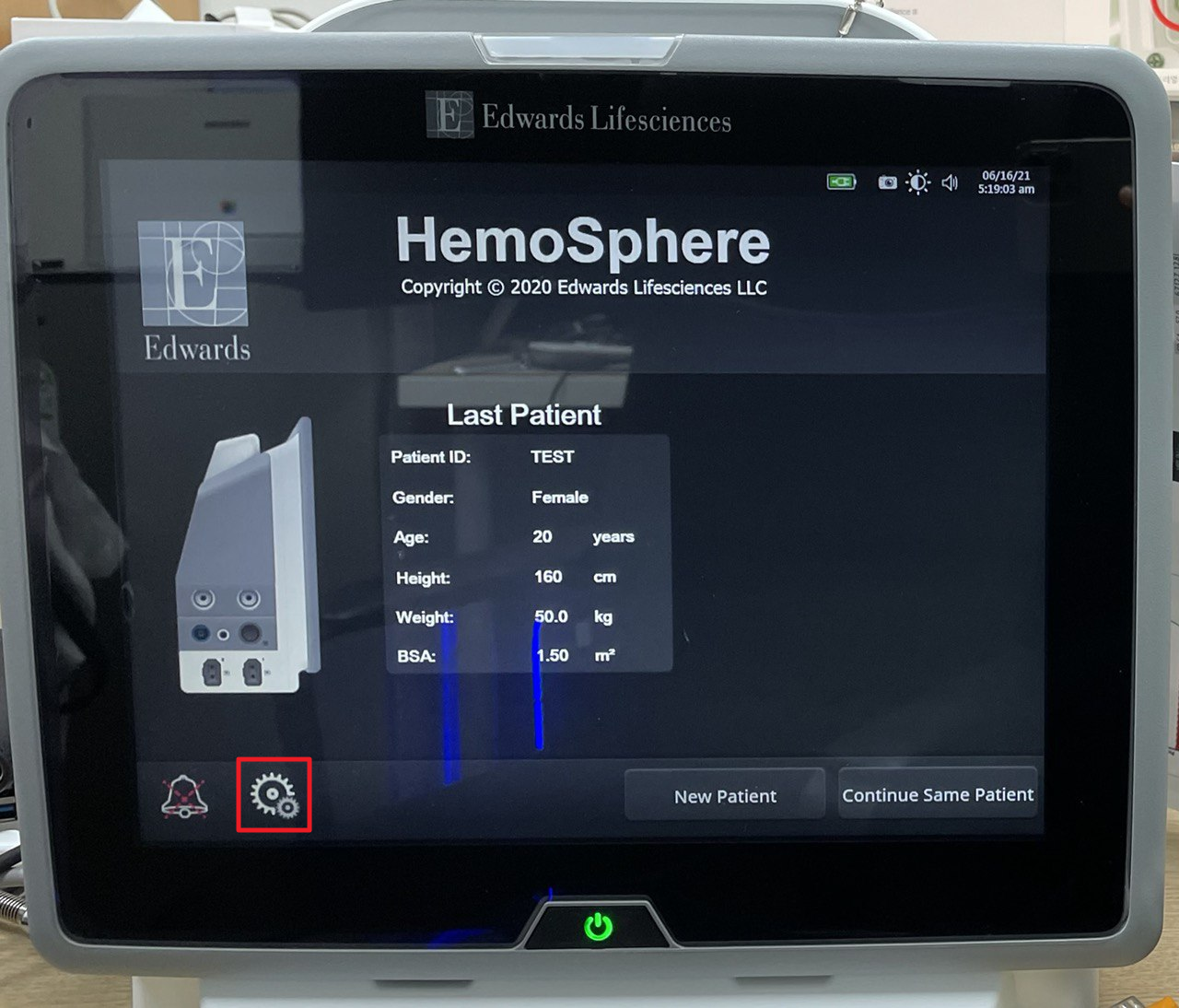
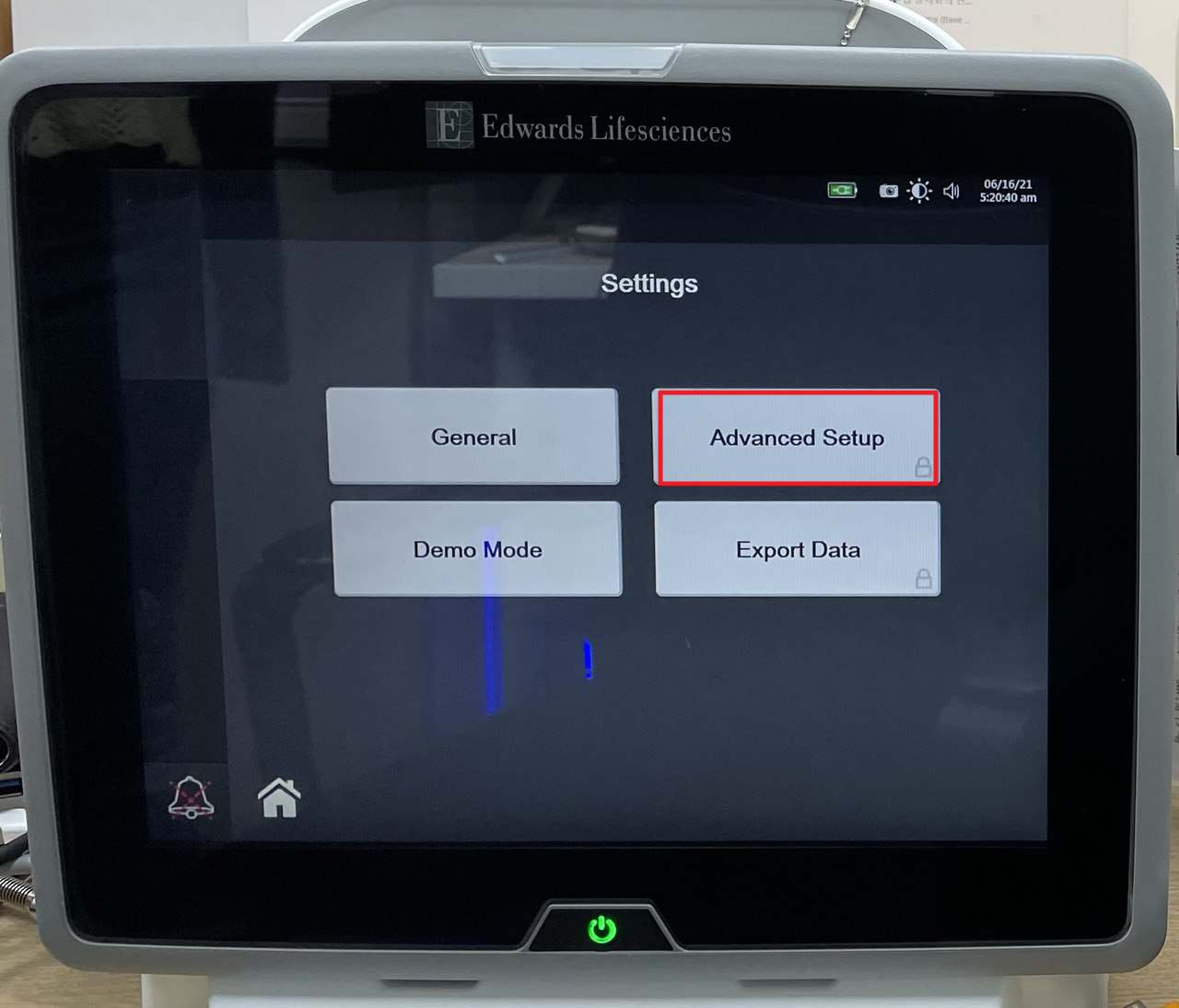
- Press the setup button (bottom left) → Advanced Setup. Enter password
55555555.
- Press Connectivity → Serial Port Setup.
- Set Device → IFMout and Baud Rate → 9600 → Restart the device.