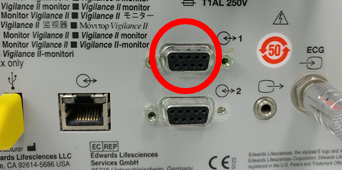
Edwards Lifesciences Vigilance II
Note: Serial port configuration is required before use. See Device Configuration below.
| Cable | Adapter | Port | VR Device Name |
|---|---|---|---|
| Direct Serial | Null Modem M/F | Port 1 — top of two serial ports | Vigilance |
Connection Steps
- Attach a Null Modem (M/F) to Port 1 (top serial port).
- Connect a direct serial cable to the PC via USB-Serial converter.
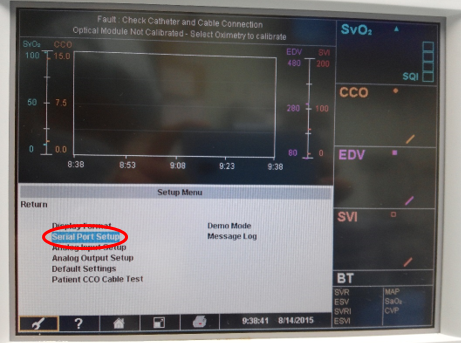
Device Configuration
- Press Setup → Serial Port Setup → Port 1.
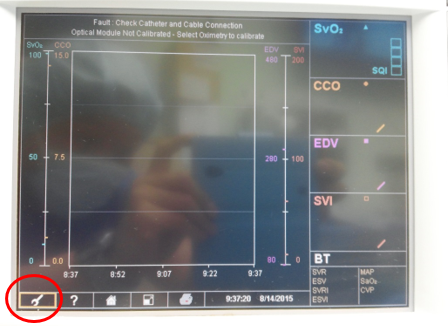
- Set Device → IFMout and Baud Rate → 9600.