GE B105M / B125M / B155M
Note: On monitor software version 4 and later, enable the S/5 output and assign it to the serial port as described in Device Configuration.
| Cable | Adapter | Port | VR Device Name |
|---|---|---|---|
| Direct serial cable with hardware handshaking support | None | X5 Serial port | B1x5M |
Connection Requirements
Note: Use an FTDI-based USB-Serial converter on the PC side. A 3-wire cable connects but loses most of the waveform samples.
Connection Steps
- Connect a direct serial cable with hardware handshaking support to the monitor's X5 Serial port. No null modem adapter is required.
Alternative: USB Output
The monitor can also emit the S/5 stream on one of its USB ports instead (see the channel selector below).
Device Configuration
Note: Required on firmware version 4 and later only. Earlier firmware emits the S/5 stream without any setup.
Note: Service login required. When prompted, enter the credentials below: | Field | Value | |-------|------- | | ID |
service| | Password |lcsmsteamorwh1tef1sh|
- Open Install/Service → Service → Page 3 → S5/Anesthesia.
- Set S/5 Channel 1 to Serial.
- Set its Baudrate to 19200.
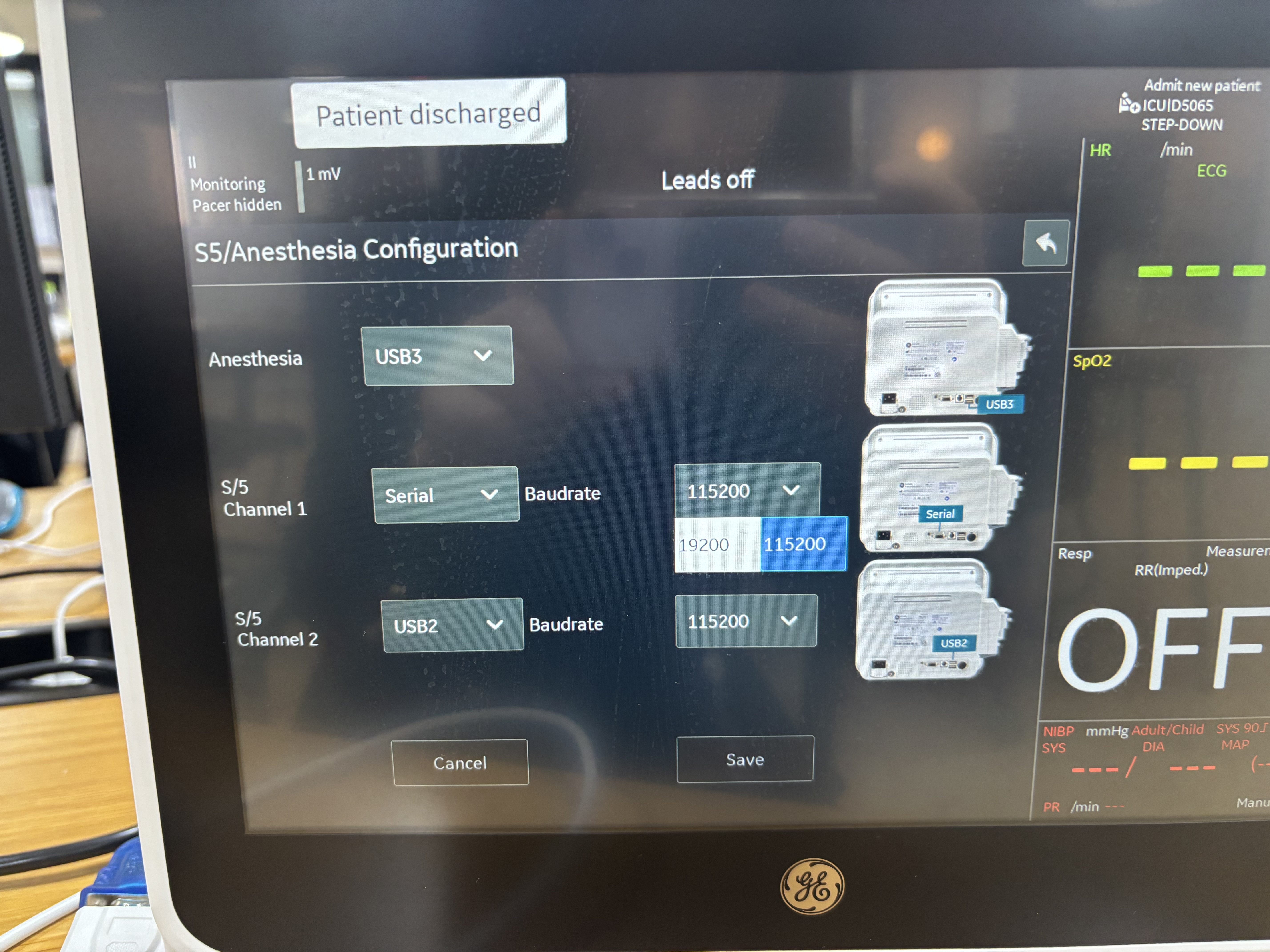
- Select Save.
Vital Recorder Setup
- Add the device as
B1x5Mand select the PC serial port used for the connection. - For waveform selection, see S5 / Datex Device Settings.