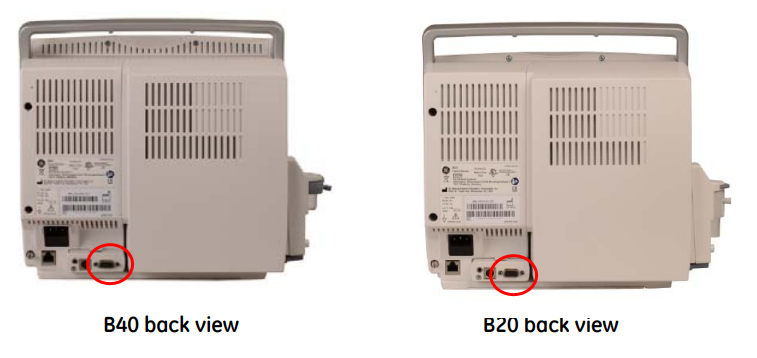
GE B40 / B20
Note: Requires a custom 9-pin serial cable with pin 4 physically removed. Standard 9-pin cables will not work.
| Cable | Adapter | Port | VR Device Name |
|---|---|---|---|
| 9-pin serial cable with pin 4 physically removed | None | 9-pin serial port | Bx50 |
Connection Steps
- Obtain or fabricate a 9-pin serial cable with pin 4 physically removed.
- Connect to the 9-pin serial port on the rear of the monitor.
- Connect the other end to the PC via USB-Serial converter.